

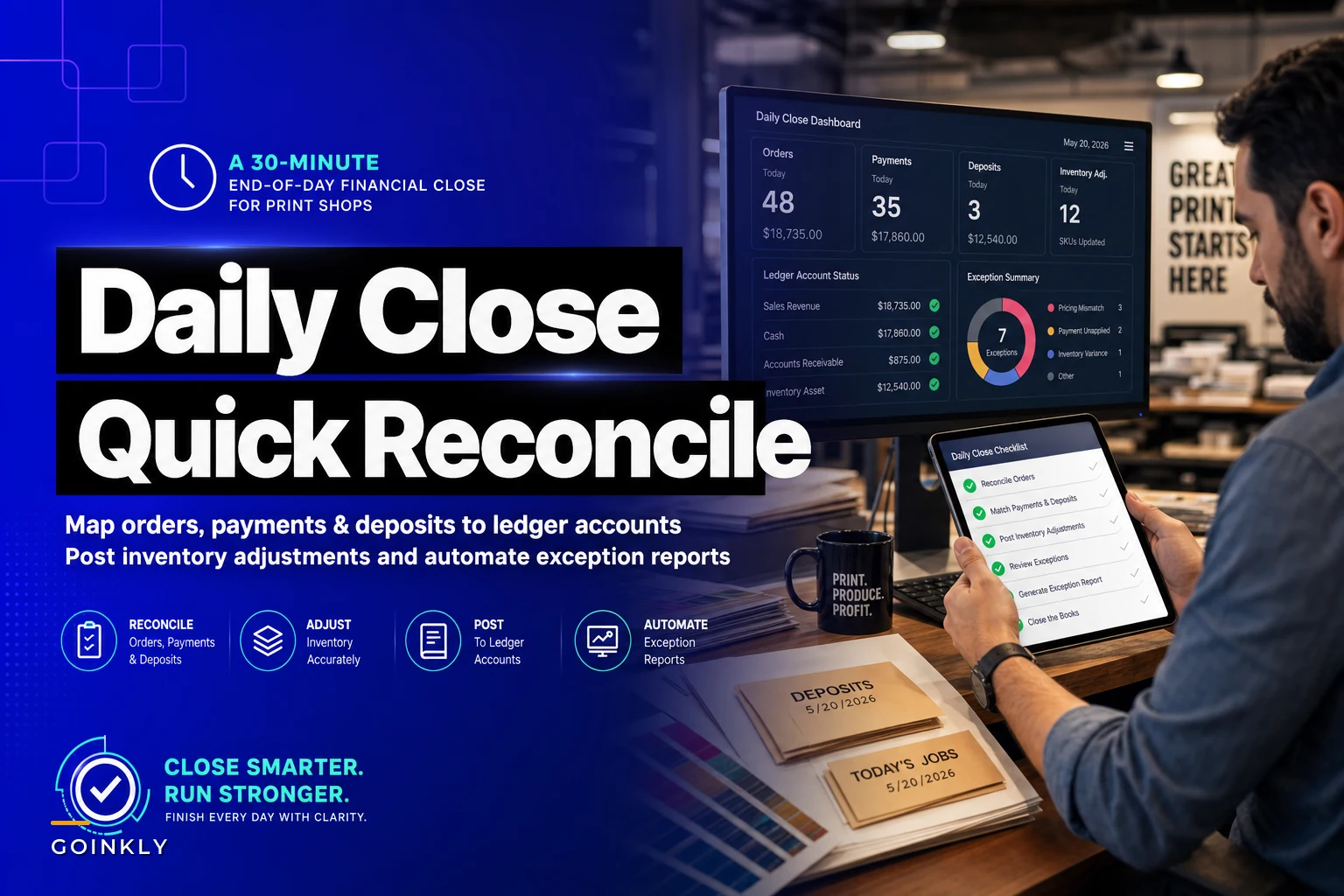

Most print shops don't have a bookkeeping problem. They have a timing problem. The books are technically correct — they just get correct three weeks too late, usually after someone spends a Saturday digging through a shoebox of packing slips trying to figure out why the bank deposit doesn't match what the POS said the shop took in.
The fix isn't hiring a full-time accountant. It's building a nightly close that takes about half an hour, catches the mismatches while people still remember what happened, and hands your bookkeeper a clean set of numbers instead of a mystery.
This is going to be specific. Not a general "keep good records" lecture — a tight, repeatable sequence for a print shop daily financial close that ties four things together every single night: orders, payments, deposits, and inventory adjustments. Map every dollar to the right ledger account nightly and month-end is basically already done before you get there.
Why print shops break where retail shops don't
A coffee shop closes easy. Customer orders, customer pays, done. Money in equals sales, more or less.
Print shops don't work that way, and that's the whole reason the nightly close gets skipped or botched. The money and the work happen on completely different timelines:
-
A customer places a $2,400 booklet order Monday and pays a 50% deposit ($1,200).
-
Production runs Tuesday through Thursday. Paper and plates get pulled from inventory.
-
The balance ($1,200) gets collected Friday at pickup — or invoiced net-15 and paid three weeks later.
-
Somewhere in there, a rush charge got added, a proof revision bumped the price, and 40 sheets got trashed on a misfeed.
So on any given day, the cash that hit your account has almost nothing to do with the orders you booked that day. Deposits are floating. Balances are trickling in. Inventory left the shelf on a job that won't be fully paid for another two weeks.
If you only reconcile at month-end, you're trying to untangle 20+ overlapping order lifecycles from memory. Nobody remembers why the March 14th deposit was $600 instead of $675. That's how shops end up with "miscellaneous" line items that quietly hide real money.
The nightly close works because it reconciles one day of movement while the context is still fresh.
The four things you're actually tying together
Before the checklist, get clear on what "close" even means here. You're proving that four separate records agree with each other for that day:
Eliminate order confusion and delays.
GoInkly helps you manage every print order efficiently from submission to delivery.
- Centralized order tracking
- Production workflow management
- Inventory and supply monitoring
No credit card required
| Record | Where it lives | What it should equal |
|---|---|---|
| Orders booked / updated | POS or order system | New contract value + change orders |
| Payments taken | Card processor + cash drawer | Deposits + balances collected today |
| Bank deposit | Bank feed | Cash + card settlement (minus fees) |
| Inventory adjustments | Stock system | Material consumed by today's production + any waste/spoilage |
The trap most owners fall into: they check payments against the bank and call it done. But payments alone tell you nothing about why money moved. A $1,200 payment could be a deposit on a new job or the balance on an old one. Without tying it back to the order, your revenue recognition is guesswork — and if you're doing any real profitability analysis by job, guesswork poisons the whole thing.
The 30-minute sequence
Do these in order. The order matters because each step catches errors before they compound into the next. Assign it to one person — usually whoever closes the drawer — and give them a hard stop time.
-
Pull the day's payment report (5 min). Every transaction the card processor recorded, plus cash counted in the drawer. Note the total and tag each one as deposit vs. balance vs. full payment. This tagging is the single most valuable habit in the whole close.
-
Match payments to orders (7 min). Walk each payment back to its order number. Deposit on order #4471? Balance on #4402? A payment with no order attached is your first exception — flag it, don't force it.
-
Reconcile the bank deposit (5 min). Cash counted should match cash going to the bank. Card total should match what the processor says settled (card settlement usually lands next business day, so you're matching yesterday's card batch to today's deposit). Fees come out here.
-
Post inventory adjustments for jobs that ran today (6 min). Which jobs went to press? Pull the material each one consumed against the job spec. Log waste separately — misfeeds, bad proofs, setup sheets. Don't bury spoilage inside normal usage.
-
Map everything to ledger accounts (4 min). Deposits → customer deposits (a liability, not revenue yet). Balances → revenue. Material consumed → COGS. Waste → its own COGS-waste account. Card fees → merchant fees expense.
-
Generate the exception list (3 min). Anything that didn't tie out cleanly goes on one short list: unmatched payments, deposit-balance mismatches, negative stock, jobs that ran with no material logged.
On a normal night it's genuinely 25–30 minutes. On a messy night the exception list gets longer — which is exactly the point. You want the mess surfaced nightly, not discovered in April.
A simple workflow diagram helps make the sequence stick.
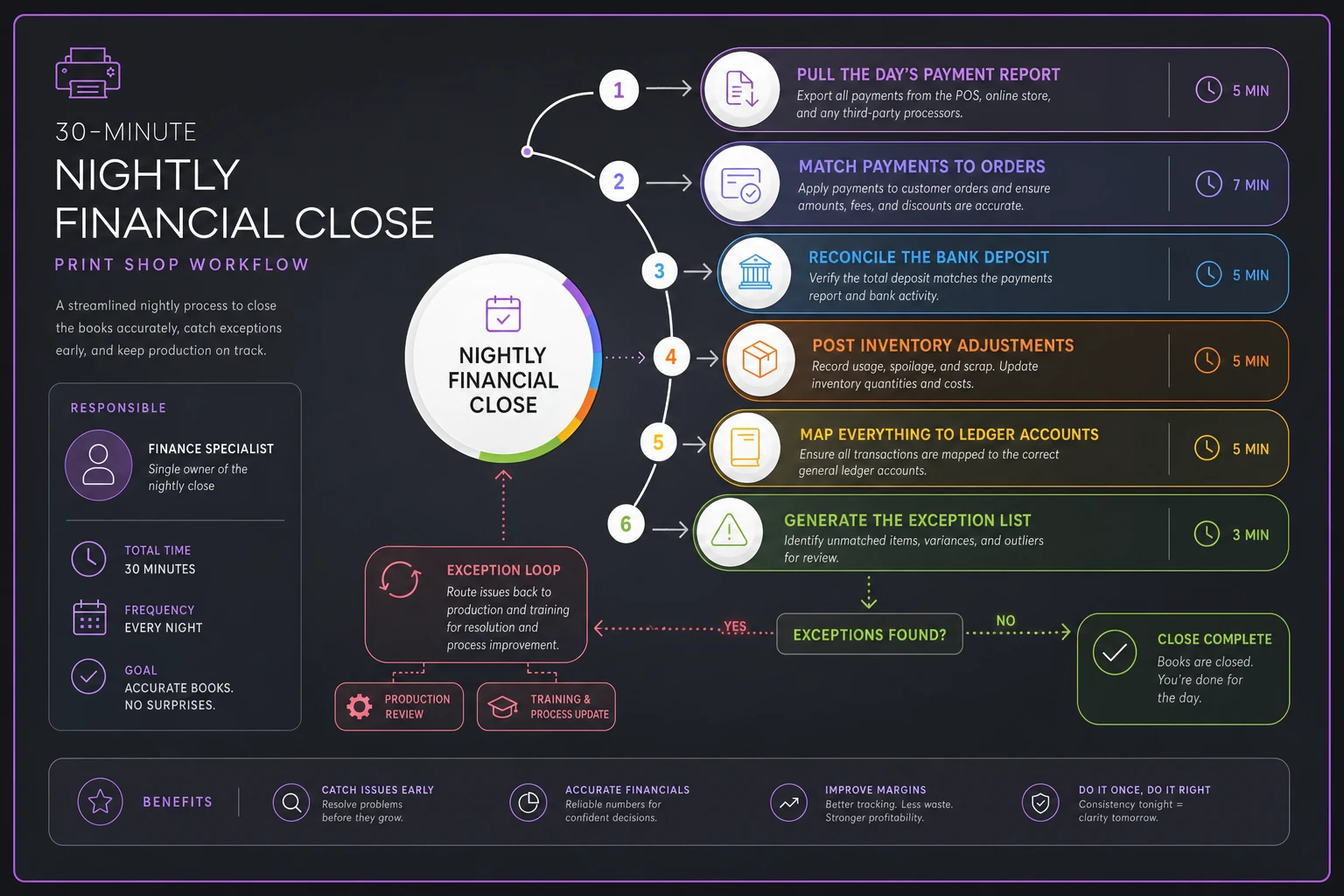
Use the visual to train whoever closes the drawer.
The ledger mapping that makes or breaks this
Here's where shops lose real money, and it's subtle.
Deposits are not revenue. A $1,200 deposit is a liability — you owe the customer $1,200 of printing. Book it as revenue the day it lands and your income looks inflated, your sales tax timing gets weird, and when you collect the balance later you'll either double-count or under-count depending on how your system handles it.
A clean nightly mapping looks like this:
-
Deposit collected → debit cash, credit Customer Deposits (liability)
-
Job delivered, balance collected → move the deposit from liability into revenue, plus recognize the balance as revenue
-
Material pulled for the job → credit inventory, debit COGS
-
Waste sheets → credit inventory, debit COGS – Spoilage (separate so you can actually see it)
The separate spoilage account turns an invisible cost into a visible one. When waste has its own line, a shop suddenly sees that it's eating somewhere around 4–6% of paper on a bad month, and that number starts driving real behavior at the press.
If your account structure is already a mess, fix that before migrating anything into a new system — remapping accounts mid-migration is how data gets scrambled. The spreadsheet data-mapping and validation plan covers that carefully, and the approach applies directly to setting up ledger mappings that actually hold up over time.
Building exception reports that fix themselves over time
The exception list from step 6 is where the real value compounds. Most shops treat exceptions as one-off annoyances. Better shops treat them as a pattern log.
Categorize every exception into a handful of buckets:
-
Unmatched payment — money came in with no order attached
-
Deposit/balance mismatch — collected amount doesn't match the order's math
-
Negative or impossible stock — you "consumed" more than you had
-
Ran-without-materials — a job hit the press but no material was logged
-
Fee variance — card settlement didn't match expected fees
After two or three weeks, the buckets tell you where your process actually leaks. If 8 of your 15 exceptions this month were "ran-without-materials," you don't have a bookkeeping problem — you have a production step where nobody's logging stock, and that's a five-minute conversation with the press operator, not a month of forensic accounting.
The exception buckets diagnose your operation. The close is the smoke detector. The exception report tells you which room is on fire.
Where automation actually earns its keep here
You can run this whole thing manually and it works. Plenty of solid shops do. But there are two specific spots where doing it by hand quietly falls apart.
First, payment-to-order matching at volume. At 8–12 orders a day it's manageable. Past 25–30 daily transactions with mixed deposits and balances, manual matching gets slow and error-prone, and people start "close enough" matching — which defeats the purpose. A platform that pulls payments from the processor and auto-suggests the likely order based on amount and timing turns a 7-minute step into a 2-minute confirm-and-correct.
Second, exception surfacing. A workflow platform that already holds your orders, payments, and inventory in one place can flag mismatches automatically instead of relying on a tired person at 6pm to spot that stock went negative. The exception report writes itself; the human just works the list.
What that doesn't replace: it doesn't decide whether a deposit is really a deposit, and it doesn't tell the operator to log their material. The judgment and the shop-floor habits are still yours. Automation removes the tedious matching so the close stays a 30-minute job instead of creeping back toward an hour.
When a nightly close is overkill
Not every shop needs this every day.
If you're running fewer than 5–6 transactions a day and you're a one- or two-person operation where the owner touches every order, a twice-weekly close is probably fine. The whole benefit of nightly is fresh context, and when one person remembers everything, that context doesn't decay as fast.
It's also a bad fit if your order lifecycle is genuinely simple — pay-in-full, pick-up-same-day, no deposits, no net terms. If money in truly equals work done, you don't have the timing mismatch this solves.
Where it's non-negotiable: any shop taking deposits, running net terms, or doing more than roughly 20 transactions a day across multiple people. That's exactly the environment where floating deposits and untracked waste hide the most money, and where "we'll sort it at month-end" turns into a recurring bad weekend.
A real scenario
A mid-size commercial shop — somewhere in the $90k–$110k a month range, three people handling the counter and invoicing — was closing monthly. Their bookkeeper spent about a day and a half every month reconciling, and there was almost always a gap between recorded sales and actual deposits somewhere in the $700–$1,500 range that got written off to "adjustments."
They switched to a nightly close using roughly the sequence above. The first month was rough — the exception list ran 30+ items because years of loose habits surfaced at once. By month two it was down to a handful, and the pattern was obvious: most gaps came from balance payments collected at pickup that never got re-tied to the original order, plus paper waste that had been silently absorbed into normal usage.
Once they separated spoilage into its own account, they realized waste was running closer to 5% than the 2% they'd assumed. Tightening setup procedures on two problem presses pulled that down over the next quarter. Month-end reconciliation dropped from a day and a half to about two hours, and the mystery "adjustments" line basically disappeared.
No new hire, no expensive overhaul. Just moving the reconciliation from once a month to once a day, with clean ledger mapping and an exception list that actually got worked.
The one habit that makes all of this stick
Tag every payment as deposit, balance, or full at the moment you take it. Not at close. Not at month-end. Right when the money changes hands.
Tag payments immediately at the point of sale so the nightly close is faster and more reliable.
Everything downstream — the matching, the ledger mapping, the exception report, the clean month-end — depends on that one tag existing. Shops that get this right rarely have a hard close, because the hard part was already handled 20 seconds after the customer's card cleared. Shops that skip it spend the rest of the month reverse-engineering their own cash, which is exactly the two-day panic the nightly close was supposed to kill.
Start with the tagging. Add the 30-minute sequence. Let the exception buckets tell you where your process leaks.
Start with the tagging. Add the 30-minute sequence. Let the exception buckets tell you where your process leaks.
Ready to simplify your print shop operations?
Join 500+ print shops using GoInkly to save time, reduce errors, and improve customer satisfaction.