

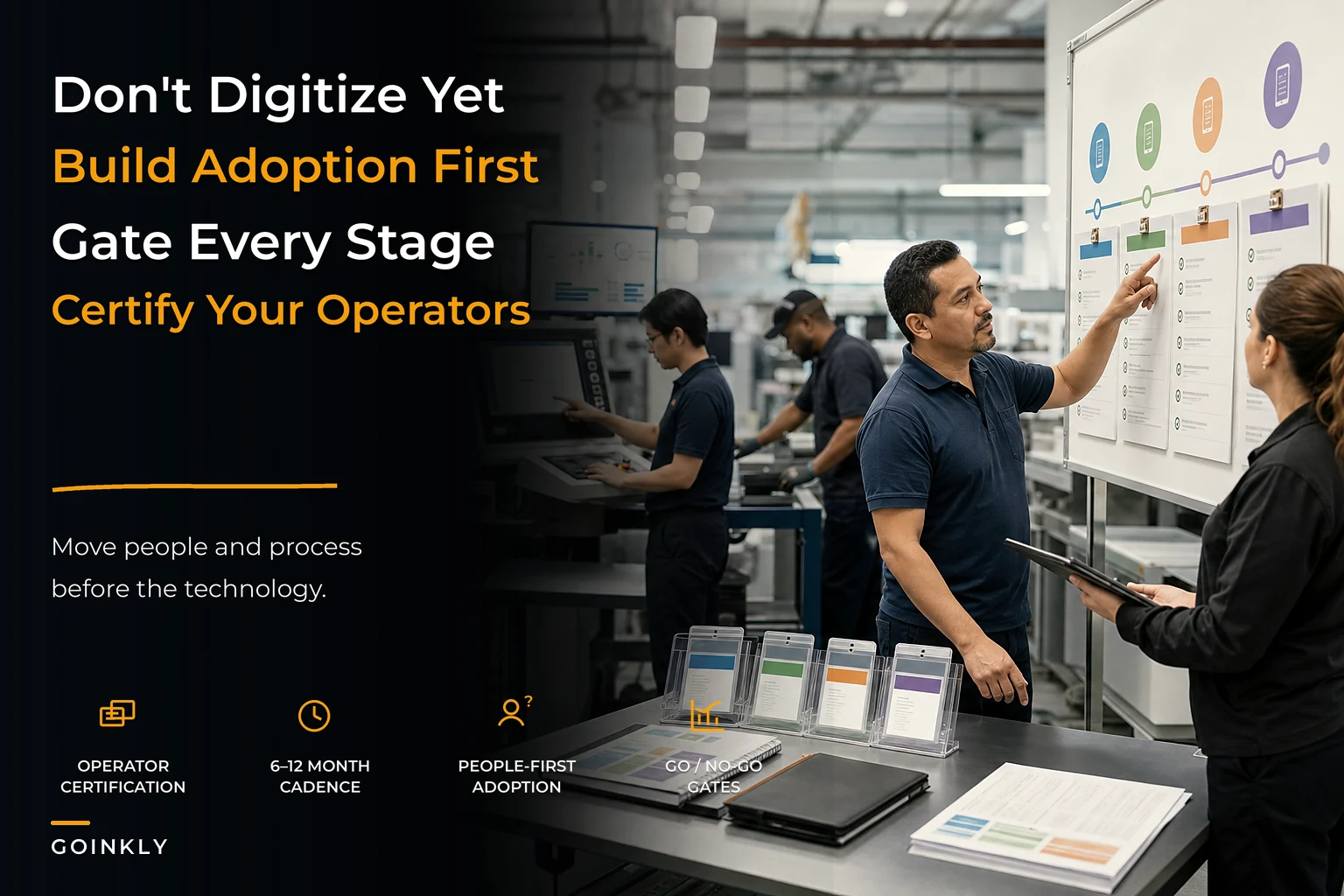

Most shops don't fail at digitization because they picked the wrong software. They fail because they treated it like an IT project instead of a behavior-change project. The system gets installed, a couple of enthusiastic people start using it, and then the press operators keep writing job tickets on the back of a sample sheet because that's faster for them. Three months later you're paying for a platform half your floor ignores, and the owner quietly concludes "software doesn't work for a shop like ours."
The missing piece is almost always the same: there's no adoption roadmap. No sequence, no gates, no definition of what "done" actually looks like at each step. People treat the rollout like a technical event with a go-live date, when it's really a staged climb where each stage has to prove itself on the floor before you move up.
This article lays out a print shop digitization adoption roadmap built around a four-stage maturity model — with operator certification, KPI acceptance gates, incentive structures, and a realistic 6–12 month cadence. The whole point is to put people and process adoption ahead of technical steps, because the technical steps are the easy part.
The real reason digitization rollouts die
Here's the pattern. A shop buys an operations platform. The owner and maybe the office manager learn it well. They build quotes in it, generate job tickets, love the dashboards. But the actual production floor — the people cutting, printing, binding, shipping — never fully switch over.
So you end up with a split operation. Half the job data lives in the new system, half lives on paper and in people's heads. Now the dashboards are lying to you, because they only reflect jobs that got entered properly. Capacity numbers are wrong. Due-date promises are wrong. The owner starts manually reconciling the two worlds, which is somehow more work than before the software existed.
What shows up across a lot of these stalled rollouts is that the breakdown is predictable, and it's rarely about the tool's features. It comes down to three things nobody planned for:
-
No definition of competence. Nobody decided what "an operator who can run this station in the system" actually means, so training was a one-time demo and then everyone was on their own.
-
No acceptance criteria. There was no agreed-upon number that said "this stage is working, we can move on." So the shop drifted in a permanent half-adopted state.
-
No reason for the floor to care. The people doing the scanning and status-updating got more work and zero benefit. Of course they resisted.
A roadmap fixes all three on purpose. It builds in certification so competence is defined, KPI gates so progress is measurable, and incentives so the floor has skin in the game. If you haven't already mapped where your shop sits operationally, the four-stage operational maturity model for print shops is the natural starting point — this roadmap is essentially how you move between those stages without the whole thing collapsing.
The four stages, and what each one has to prove
Think of digitization not as one jump but as four distinct stages, each with its own center of gravity. You don't advance because time passed. You advance because the previous stage hit its numbers and your people actually changed how they work.
Eliminate order confusion and delays.
GoInkly helps you manage every print order efficiently from submission to delivery.
- Centralized order tracking
- Production workflow management
- Inventory and supply monitoring
No credit card required
| Stage | Center of gravity | What's "live" | The gate you must pass |
|---|---|---|---|
| 1. Capture | Order & quote intake | Quotes, orders, customer records in one system | 90%+ of new orders entered in-system within 24h |
| 2. Floor visibility | Job status & routing | Job tickets, station status, basic scheduling | 85%+ of active jobs show accurate real-time status |
| 3. Control | Costing, inventory, exceptions | Material deductions, job costing, exception alerts | Costed job margin within ~5% of actual on a sample audit |
| 4. Optimization | Analytics & forecasting | Capacity modeling, profitability by channel, automation | Decisions (pricing, hiring, scheduling) sourced from system data |
Notice what's not in that table: a list of modules to turn on. Every stage is defined by a behavior and a number, not a feature toggle. That's the whole philosophy. You can have every feature enabled and still be stuck at Stage 1 because nobody on the floor is actually using Stage 2.
The common mistake is trying to jump straight to Stage 4 because that's where the exciting dashboards live. But Stage 4 analytics are worthless if Stage 1 and 2 data entry isn't disciplined. Garbage capacity reports come from garbage status updates. You earn the analytics.
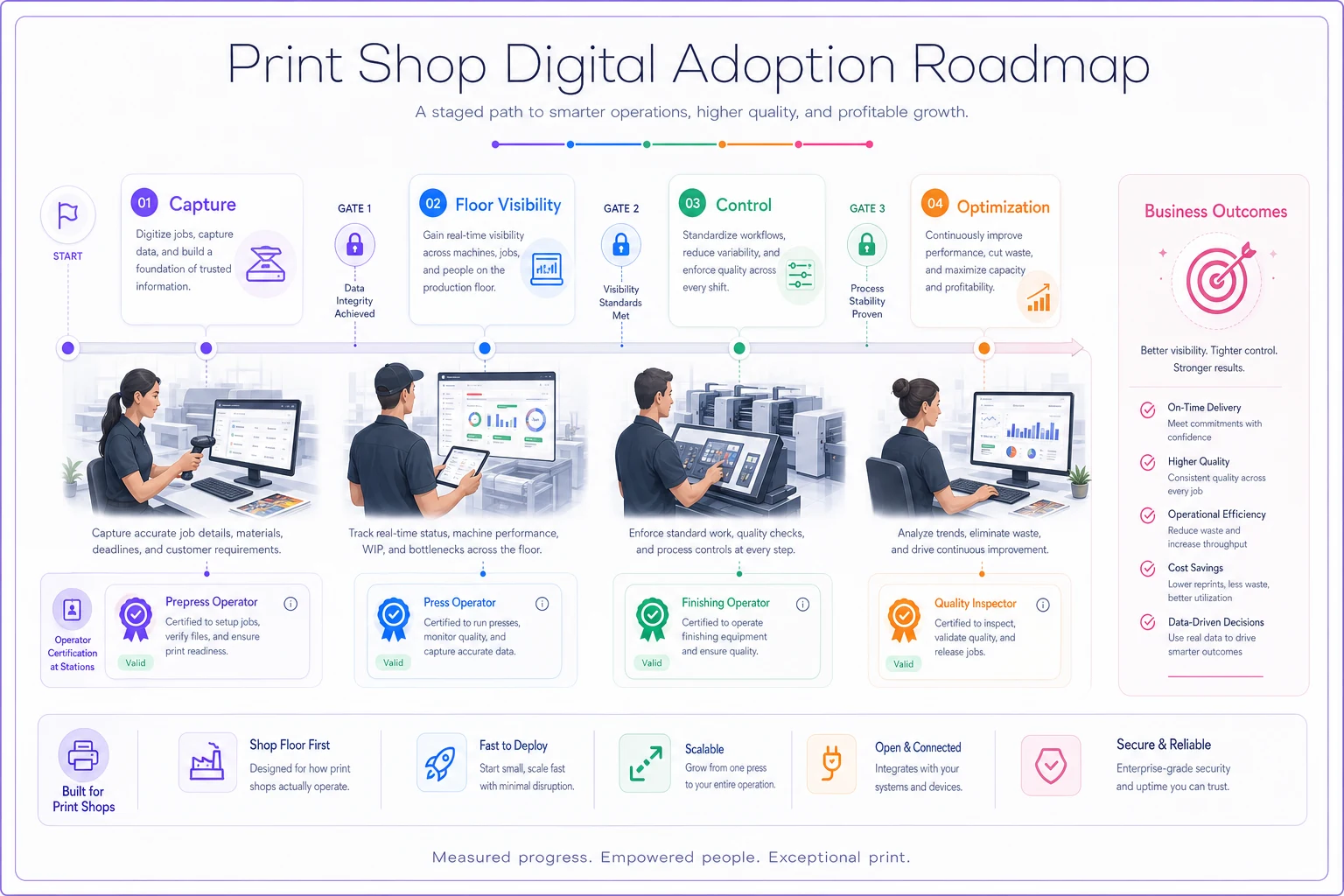
A simple diagram like this helps teams see the staged climb and the gates.
Operator certification cards: making competence something you can see
The single most useful artifact in a shop rollout is boring: a certification card per station, per operator. Physical or digital, doesn't matter. What matters is that it answers one question — can this person run their part of the workflow inside the system, unassisted?
A certification card for a bindery operator at Stage 2 might require them to demonstrate:
-
Pull up the active job queue for their station without help
-
Mark a job started and completed, with the right scrap/quantity entry
-
Flag an exception (missing material, damaged stock) so it routes correctly
-
Hand off cleanly to the next station in the system
Simple. But here's what most owners miss: certification is where you discover your process is actually broken. When you sit down to define "what does a competent operator do here," you often find nobody agrees. One operator marks jobs complete at a different point than another. One counts a reprint as a new job, another doesn't. The certification process forces you to standardize the workflow before you lock it into software — which is the opposite order most shops try.
Keep the cards tiered. A Stage 1 cert for the front office is different from a Stage 3 cert that includes material deduction accuracy. As the shop climbs stages, people re-certify at the higher level. This also gives you a clean way to onboard new hires — instead of explaining "how we do things here," you hand them a card and a checklist.
A quick certification checklist you can adapt
-
- [ ] One card per station, written in plain shop language (not software menu names)
-
- [ ] Each task is demonstrated live, not just discussed
-
- [ ] A named person signs off — usually a lead or supervisor
-
- [ ] Re-cert required when you move up a stage or change a core workflow
-
- [ ] New hires can't run a station solo until carded
-
- [ ] Cards are visible, so gaps in coverage are obvious at a glance
Make the certification cards visible in the shop so coverage gaps are obvious at a glance.
The checklist and visible cards make it easy to see who can run what without asking.
KPI acceptance gates: how you know a stage is actually done
This is where most roadmaps have nothing, and it's the piece that keeps you honest. A KPI acceptance gate is a specific, measurable threshold that has to hold steady — usually for two to three weeks, not one lucky day — before you declare a stage adopted and move up.
The reason the sustained window matters: it's easy to hit 90% data entry the week everyone's being watched. It's hard to hold it when the shop gets slammed with a rush and the old habit of scribbling on paper comes roaring back. The gate isn't "did we hit the number once" — it's "did the new behavior survive contact with a busy week."
Reasonable gates by stage look like this:
-
Stage 1 gate 90%+ of orders entered in-system within a day of receipt, held for three weeks. Plus: quotes generated from the system, not from a spreadsheet on someone's desktop.
-
Stage 2 gate 85%+ of active jobs showing accurate status when you spot-check the floor against the screen. The spot-check matters — the screen can say 85% while the floor tells a different story.
-
Stage 3 gate Pull 15–20 completed jobs, compare system-costed margin to what the job actually cost. If you're consistently within about 5%, your costing inputs are trustworthy. If you're off by 15%, your material deductions or labor capture aren't real yet.
-
Stage 4 gate At least one real operational decision — a price band change, a hire, a schedule restructure — made primarily off system data in the last month. If leadership still runs the shop on gut and the dashboards are decoration, you haven't actually reached Stage 4.
Go / no-go criteria
-
Go Number held for the full window, certification coverage for that stage is above roughly 90% of relevant operators, and no major workflow workaround is still in daily use.
-
No-go Number is close but unstable, or a chunk of the team is quietly running a parallel paper process. Do not advance. Spend another two to four weeks reinforcing the current stage instead.
The hardest part of go/no-go is emotional, not analytical. Owners want to advance because they're tired of the rollout and want to see the shiny analytics. Advancing on a soft gate is exactly how you end up with that half-adopted, dashboards-are-lying mess described earlier.
Incentive templates: giving the floor a reason to care
You can't certification-and-gate your way to adoption if the people doing the work get nothing out of it. Status updates and scan discipline are real effort, and if the only beneficiary is the owner's dashboard, resistance is rational.
Incentives don't have to be big. They have to be felt. A few templates that work in real shops:
-
Stage completion bonus. When a department hits and holds its stage gate, the whole department gets something concrete — a shared payout, a catered lunch, whatever lands with your crew. You're rewarding collective behavior, which also creates peer pressure on the one holdout who won't scan.
-
Certification pay bump. A small hourly bump tied to higher-stage certification. This reframes the system from "extra work" to "a skill that pays." It also helps with retention of your carded operators more than most owners expect.
-
Accuracy recognition, not just speed. Shops reflexively reward throughput. During a rollout, publicly recognize the operator with the cleanest data — fewest exceptions, most accurate counts. You're signaling that doing it right in the system is part of the job, not a distraction from it.
One mistake to avoid: tying incentives to the software metrics themselves in a way that encourages gaming. If you pay for "most jobs marked complete," you'll get jobs marked complete that aren't. Tie incentives to stage gates and accuracy audits, which are harder to fake.
A realistic 6–12 month cadence
The timeline pressure is where good intentions die. Vendors imply you'll be transformed in 30 days. Reality for a working shop that still has to ship orders every day is closer to 6–12 months to climb all four stages properly. Here's a cadence that respects the fact that your people are doing this on top of their actual jobs.
-
Weeks 1–6 — Stage 1 build and certify. Configure intake, migrate your customer and quote data carefully, cert the front office. Don't touch the floor yet. If you're moving data from spreadsheets, do it deliberately — a sloppy import poisons every stage above it.
-
Weeks 6–10 — Stage 1 gate hold. Office runs fully in-system. Watch the 24-hour entry rate. No-go until it's stable.
-
Weeks 10–20 — Stage 2 build and certify. Roll job tickets and station status to the floor one department at a time, not all at once. Cert each station. Run incentives here — this is where floor buy-in is won or lost.
-
Weeks 20–26 — Stage 2 gate hold. Spot-check the floor against the screen relentlessly. Fix the workarounds before advancing.
-
Weeks 26–38 — Stage 3 build. Turn on material deductions, job costing, exception routing. This stage exposes bad data from earlier stages, which is good — fix it now.
-
Weeks 38–44 — Stage 3 gate hold. Run your margin audit on real completed jobs.
-
Weeks 44–52 — Stage 4. Now the analytics mean something. Start sourcing real decisions from them.
Two departments running at different stages at the same time is normal and fine. Your office can be at Stage 3 while bindery is still cementing Stage 2. What's not fine is pretending the slow department is done because the fast one is.
If part of your goal is growing into more shifts or more volume while you do this, the sequencing overlaps heavily with a staged approach to scaling into multi-shift production — both depend on the same thing: the floor behaving consistently before you add load or complexity on top.
A real scenario: a mid-size commercial shop that stopped rushing
A commercial print shop running around 15 people had already bought an operations platform and considered the rollout "done" after about six weeks. On paper, done. In practice, the office used it and the floor didn't. Their system said they had plenty of capacity; meanwhile they were missing due dates and nobody could explain why. The capacity number was built on job statuses the floor never updated.
They restarted with an actual roadmap. Same platform, no new software. They just rebuilt the rollout around stages and gates. Stage 1 took about five weeks to hold because their quote data was a mess and had to be cleaned up first. Stage 2 was the hard one — close to three months and two failed gate attempts before floor status updates held above 85%. The first time they tried, three senior operators were still running everything on paper out of habit. A certification pay bump and a department lunch tied to the gate finally moved it.
By the time they reached Stage 3 costing — roughly seven months in — they found something that paid for the whole effort: a category of jobs they'd been chronically underpricing because the real material and finishing cost was higher than their old spreadsheet assumed. The gap worked out to a few points of margin on a meaningful slice of their volume. Not a dramatic overnight transformation. But a real, found-money correction they could not have seen before the floor data was trustworthy.
When this roadmap makes sense — and when it doesn't
When it makes sense: You've got more than a handful of people, multiple stations, and the owner is currently the human integration layer holding job info together in their head. Any shop where "where's this job at?" requires walking the floor is a shop that needs staged, gated adoption.
When it's overkill: A true micro-shop — two or three people in one room who can literally see every job in progress — doesn't need four stages and certification cards. Don't build bureaucracy for a problem you don't have.
Who should NOT start this right now: If your shop is in active crisis — key equipment down, a season you're underwater on, major staffing hole — don't launch a digitization roadmap in the middle of it. Adoption requires spare attention from your people, and people in survival mode will reject anything new on reflex. Stabilize first, then start Stage 1.
One more thing that often gets skipped: as you centralize order, customer, and payment data into one system, you're also concentrating risk. More of your business lives in one place now. Make sure backups, access controls, and breach response are handled as you climb — the IT security playbook for PCI, backups and breach response pairs naturally with any serious digitization effort, and it's far cheaper to build those habits during rollout than to bolt them on after an incident.
The quiet truth about digitization
The software is almost never the hard part. Vendors have gotten good; most modern platforms will do what a print shop needs. The hard part is getting fifteen people, with fifteen years of their own habits, to change how they record what they do all day — and to keep doing it when the shop gets busy and the old shortcuts tempt them back.
A print shop digitization adoption roadmap works because it treats that human reality as the main event, not an afterthought. Certification defines competence. Gates prove the behavior is real. Incentives give the floor a reason to participate. The 6–12 month cadence gives people room to actually change instead of pretending they did on a 30-day timeline.
Shops that rush past the people problem to get to the dashboards end up with expensive, half-ignored software and a capacity report they can't trust. Shops that climb the stages deliberately end up with something better than clean data — they end up with a floor that runs the same way whether or not the owner is standing there watching. That's the real payoff, and no amount of feature toggling gets you there without the roadmap.
Ready to simplify your print shop operations?
Join 500+ print shops using GoInkly to save time, reduce errors, and improve customer satisfaction.