

Most quoting problems in a print shop trace back to one thing: the quote is treated as a single number instead of a stack of separate costs that each behave differently. A CSR types in a rough total, the customer says yes, and three days later production discovers the finishing takes twice as long as anyone priced. The margin quietly evaporates and nobody knows exactly where.
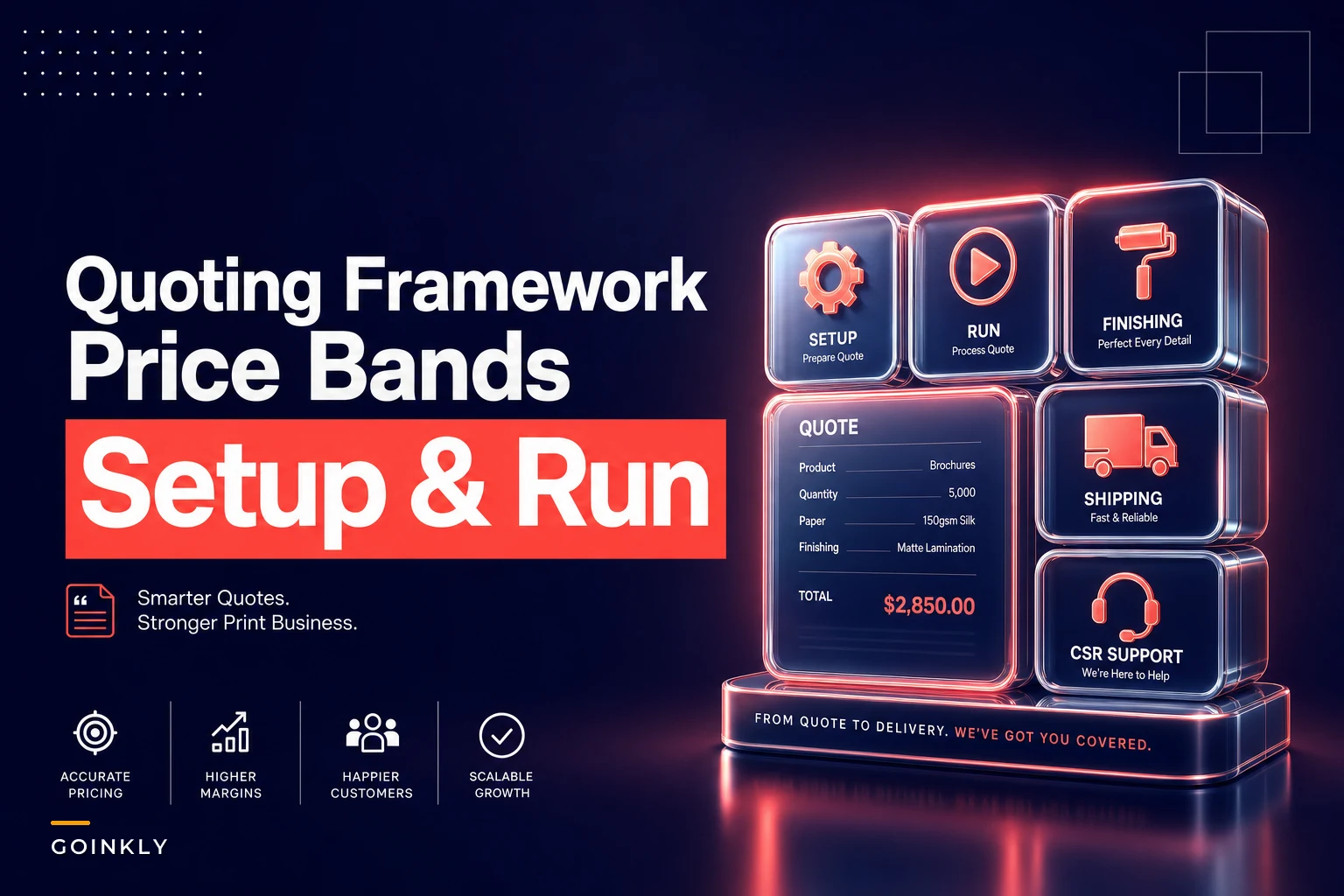
A modular printing quote framework fixes this by forcing every quote to be built the same way — from components that match the real stages of production. Setup. Run. Finishing. Shipping. Add-ons on top. When you separate those, you can see which piece is eating your margin, and you can build price bands around your actual capacity instead of guessing.
This post covers how to build that framework: the four core components, how add-ons and scope definitions plug in, the price-band rules that keep you profitable at different volumes, and a quick script your CSRs can follow so quotes come out consistent no matter who takes the call.
Break the quote into pieces that map to how the work actually happens
Most quoting problems in a print shop trace back to one thing: the quote is treated as a single number instead of a stack of separate costs that each behave differently. A CSR types in a rough total, the customer says yes, and three days later production discovers the finishing takes twice as long as anyone priced. The margin quietly evaporates and nobody knows exactly where.
A modular printing quote framework fixes this by forcing every quote to be built the same way — from components that match the real stages of production. Setup. Run. Finishing. Shipping. Add-ons on top. When you separate those, you can see which piece is eating your margin, and you can build price bands around your actual capacity instead of guessing.
This post covers how to build that framework: the four core components, how add-ons and scope definitions plug in, the price-band rules that keep you profitable at different volumes, and a quick script your CSRs can follow so quotes come out consistent no matter who takes the call.
Why single-number quotes leak margin
The pattern shows up constantly. A shop prices jobs off history and gut feel. A 500-piece brochure "usually runs about $340," so that's the number. The problem is a 500-piece brochure with a bleed, a fold, and two-day turnaround is a completely different animal than a flat 500-piece sheet with no finishing — but they get quoted the same because the estimate is anchored to a total, not to the underlying work.
Eliminate order confusion and delays.
GoInkly helps you manage every print order efficiently from submission to delivery.
- Centralized order tracking
- Production workflow management
- Inventory and supply monitoring
No credit card required
Setup cost barely moves with quantity. Run cost scales roughly with quantity. Finishing scales too, but on a different curve — and it's the piece most CSRs underestimate because folding, scoring, and hand-collation are labor, not machine time. Shipping is its own beast entirely and often gets tossed in as a flat "we'll figure it out."
When all four are mashed into one number, a couple of things happen. Small jobs get underpriced because setup gets absorbed. Finishing-heavy jobs get underpriced because the labor is invisible in the total. And you find out at the end of the month when the numbers don't add up, not at the moment of the quote when you could've fixed it.
The four core components
Every quote gets built from these. Think of them as line items your estimator fills in, not a formula you memorize.
Setup
Setup is everything that happens once, regardless of quantity. Plate/screen creation, file preflight, machine make-ready, color matching, proofing. This cost is nearly identical whether you run 100 pieces or 5,000, which is exactly why it destroys margin on small jobs when it's buried in a per-unit price.
A practical approach: assign each production method a fixed setup figure and don't discount it. Offset with plates has a real setup cost. Digital has a smaller one but it's not zero — someone still preflights the file and runs a test. If your setup shows $0 on the quote sheet, you're eating it.
Run
Run cost is the per-unit cost that scales with quantity — press time, click charges, substrate. This is the component most shops price reasonably well because it's the most visible. The mistake here is using flat per-unit pricing across all volumes instead of banding it, which we'll get to.
Finishing
Finishing is where quotes go to die. Cutting, folding, scoring, laminating, binding, drilling, shrink-wrapping, hand-collating. Some of it is machine time, a lot of it is labor, and labor doesn't scale as cleanly as press time. A job that needs hand-assembly on a tight deadline can cost more in finishing than in the actual run.
Price finishing as its own component with its own rates — ideally split into machine finishing (predictable, per-unit) and labor finishing (estimated in time, then converted to cost). Never let finishing hide inside the run number.
Shipping
Shipping should be its own line, quoted from actual dimensions and weight, not eyeballed. Boxed weight, box count, destination zone, and turnaround all matter. The common failure is quoting shipping as a round guess and absorbing the difference when the cartons come in heavier than assumed.
Configurable add-ons
Once the four core components are locked, add-ons layer on top. These are the optional line items that turn a base job into a specific one:
-
Rush/expedite (priced against your capacity, not a flat fee — more on that below)
-
Special substrate upgrades
-
Variable data
-
Custom die/scoring
-
Sample proofs shipped physically
-
Kitting or hand-assembly
-
White ink / spot colors / foil
-
Split shipments to multiple addresses
Each add-on carries its own cost logic and is either on or off. When a CSR toggles "rush" or "foil," the quote should recalculate cleanly. If add-ons live in a CSR's head as "I'll add a bit for that," they get forgotten or applied inconsistently — one customer pays for foil, another doesn't, and there's no record of why.
Scope definitions: the part nobody writes down
Scope is the quiet killer. Two shops can quote the "same" job and mean two completely different things. Does the quote include one round of proof revisions or three? Does it include a physical proof shipment or just a PDF? Is the file coming print-ready or does someone need to fix bleeds?
-
Setup includes one preflight pass and one PDF proof. File corrections beyond minor fixes are an add-on.
-
Run includes the quoted quantity plus your standard overrun/underrun tolerance, stated in writing.
-
Finishing includes the finishing operations listed and nothing else. A fold that turns into a fold-plus-score is a change order.
-
Shipping includes one destination unless split shipment is added.
Scope creep is almost always a documentation failure, not a customer being difficult. When the quote spells out exactly what's included, the change order conversation becomes routine instead of a fight. This connects directly to how you handle accurate job costing for mixed-batch print jobs — if scope isn't defined, your allocation rules have nothing solid to attach to.
Price bands tied to capacity
This is the piece that actually protects margin. Instead of one per-unit run rate, you set bands — and the bands are anchored to your capacity, not just to quantity.
Your press and your finishing labor have a comfortable operating range. Below a certain volume, setup dominates and you need a floor price. In your sweet-spot volume, you can offer your best per-unit rate because the job runs efficiently. Above your comfortable capacity, a job either bumps other work or forces overtime, so the rate should climb — or you route it to a different price band entirely.
| Volume band | Setup treatment | Run rate/unit | Finishing | Notes |
|---|---|---|---|---|
| 1–250 (floor) | Full setup, no discount | Highest | Labor-heavy per unit | Minimum job charge applies |
| 251–1,000 (sweet spot) | Full setup, absorbed comfortably | Best rate | Machine finishing efficient | Standard turnaround |
| 1,001–3,000 | Full setup | Slightly reduced | Batch finishing | May need scheduling check |
| 3,001+ (capacity strain) | Full setup | Rate climbs OR route to offset | Overtime finishing likely | Confirm capacity before quoting |
The insight most shops miss: the cheapest per-unit rate should not be at your highest volume. It should be at the volume your equipment runs most efficiently without straining. Beyond that, you're paying in overtime, bumped jobs, and stressed staff — and the quote should reflect that. This is the same capacity-thinking behind mapping true job cost into price bands and hire triggers; the quote framework is just where that thinking meets the customer.
Rush pricing that reflects real capacity
Rush should never be a flat "+25%." Rush cost depends on how full your schedule already is. A rush job when you're at 60% capacity costs you almost nothing. The same rush job at 95% means you're bumping paying customers or running overtime.
-
Check current committed capacity for the requested window.
-
If capacity is below your comfortable threshold, apply the standard rush premium.
-
If capacity is near full, apply the elevated rush premium — this is the price of disruption, and it's real.
-
If capacity is fully booked, quote a later date or a premium that genuinely covers overtime plus the cost of delaying other work.
The point isn't to gouge customers. It's to make the price honest about what the rush actually costs you.
A quick script for CSRs
Consistency between CSRs is where most quoting frameworks fall apart. One rep quotes conservatively, another quotes aggressively to win the job, and margin swings wildly for identical work. A short script keeps everyone on the same rails.
-
Confirm the job type and quantity. "How many pieces, and is this a reprint or new?"
-
Lock the specs that drive setup. Size, color, sides, substrate.
-
Identify finishing explicitly. "Any folding, cutting, binding, or assembly?" Don't assume.
-
Ask the turnaround before quoting price. Turnaround determines the band and any rush premium.
-
State scope out loud. "This includes one proof and one revision round; extra revisions are billed separately."
-
Build from components, not memory. Setup + run (at the correct band) + finishing + shipping + any add-ons.
-
Give the number with the scope attached, in writing. Never a verbal round number with no record.
Keep a one-page cheat sheet of band thresholds and common add-on prices at the CSR station so quoting stays fast and consistent.
The behavioral pattern this fixes: CSRs quoting from memory and habit. When the script forces them to ask about finishing and turnaround before naming a price, the two most-underpriced components stop slipping through.
A real scenario
A mid-size shop doing folded newsletters and event materials was quoting off spreadsheets and rep memory. Their folded-piece jobs looked fine on paper but the shop was consistently coming in tight at month-end.
When they broke quotes into components, the leak was obvious: finishing on folded jobs was priced into the run rate, and fold labor on short runs was running roughly 30–40% higher than what was baked into the number. Small folded jobs — in the 200 to 400 piece range — were essentially break-even or slightly negative once real fold labor was counted.
They set a minimum job charge, pulled finishing into its own banded line, and gave CSRs the script. Nothing dramatic changed for their sweet-spot volumes. But the small folded jobs got repriced to reflect actual labor, and within a couple of months the margin on that category was noticeably healthier — mostly from no longer eating fold labor invisibly.
When this framework makes sense — and when it doesn't
Not every shop needs this. Worth being straight about that.
When it makes sense: you run a mix of job types, multiple people quote, and finishing varies a lot job to job. That's exactly the environment where a single-number quote leaks the most, and where components plus bands pay off fastest.
When it's overkill: if you do one or two nearly identical products at fixed quantities — say, a shop that only prints business cards in three standard runs — a full modular framework is more structure than you need. A simple fixed price sheet does the job.
Who should be careful: shops without clean cost data yet. The band rules are only as good as your understanding of setup, run, and finishing costs. If you don't know your real finishing labor rate, build the component structure first and refine the numbers as you track actual jobs. A framework with wrong numbers is still better than a single wrong number — but only because it shows you where to look.
Bringing it together
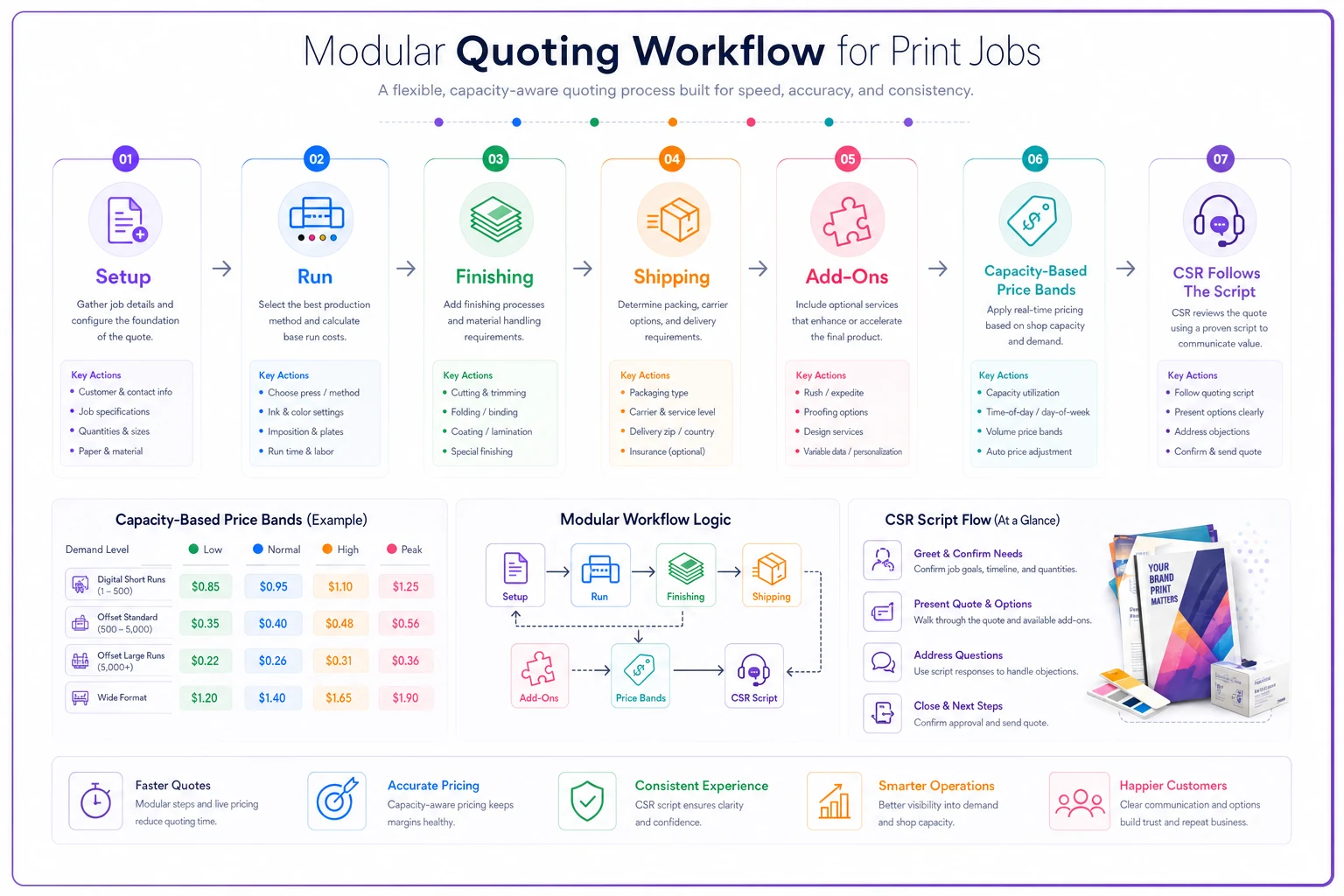
The whole point of splitting a quote into setup, run, finishing, and shipping is visibility. When each piece is its own line with its own logic, you can see which component is thin, which band is efficient, and where a rush or a fold is quietly costing you. Add-ons stay consistent because they're toggles, not memory. Scope stays clear because it's written into the components. CSRs quote the same way every time because the script walks them through it.
Below is a simple workflow diagram to visualize how the components, bands, add-ons, and CSR script interact.
Most shops that struggle with quoting aren't making huge mistakes on any single job. They're making the same small, invisible mistakes on dozens of jobs every month. The margin doesn't disappear in one blowup — it bleeds out through finishing labor nobody priced, rush premiums that don't reflect real disruption cost, and scope assumptions that live in someone's head instead of the quote.
Operational software helps by keeping this consistent at speed — pulling the right band automatically, checking capacity before a rush price gets promised, attaching scope to every quote so nothing gets argued about later. But the framework matters more than the tool. Get the components and bands right on paper first, and the quotes will protect your margin whether you're typing them into a spreadsheet or a full system.
Operational software helps by keeping this consistent at speed — pulling the right band automatically, checking capacity before a rush price gets promised, attaching scope to every quote so nothing gets argued about later. But the framework matters more than the tool. Get the components and bands right on paper first, and the quotes will protect your margin whether you're typing them into a spreadsheet or a full system.
Ready to simplify your print shop operations?
Join 500+ print shops using GoInkly to save time, reduce errors, and improve customer satisfaction.