

The first order from a new customer is the most expensive one you'll ever run. Not because of the paper or the ink, but because nobody's ever done this client's work before. Nobody knows their brand red, whether their logo file is the good vector or the pixelated one somebody pulled off their website, or that their "standard" business card is actually a weird 3.75" size their last printer talked them into.
So you guess. And guessing on a first order is how you end up reprinting 2,000 postcards because the bleed was wrong, or eating a rush freight charge because the client "assumed" you'd ship samples before the full run.
The frustrating part is that almost none of this is a production problem. It's an onboarding problem. The rework was baked in before the job ever hit a press. Good print shop customer onboarding is really just a set of standards that force the unknowns out into the open before they turn into a reprint.
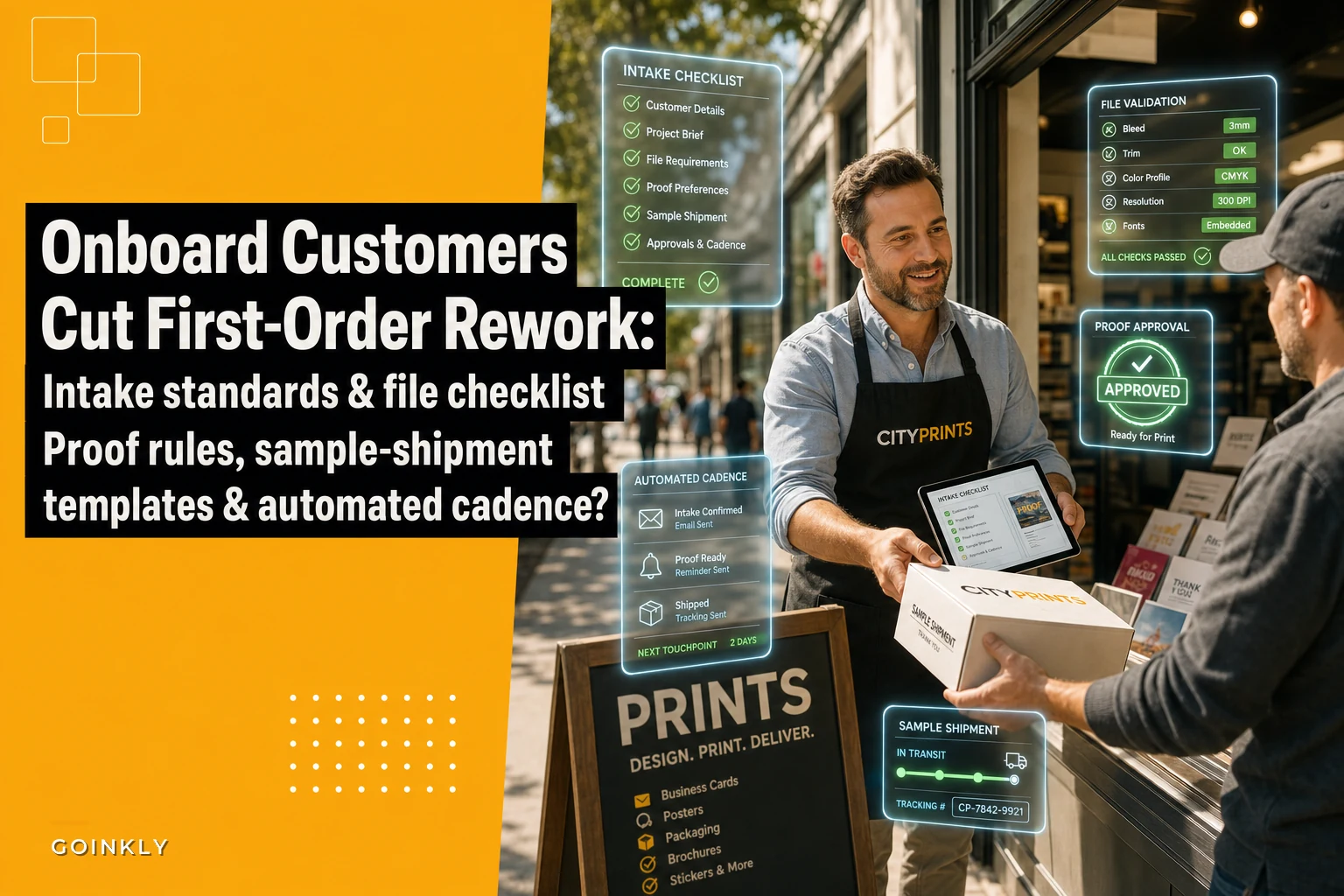
What actually moves the needle: intake, file standards, proof rules, and sample-shipment templates.
Where first-order rework actually comes from
If you tracked the reasons your reprints happen, first orders would be wildly overrepresented. That's not a coincidence. A repeat client has accumulated history—your team knows their quirks, their files are already cleaned up, their approval habits are known. A new client has none of that, and the gaps get filled with assumptions.
-
The file was technically openable but not print-ready (RGB, no bleed, embedded low-res images).
-
The client approved a proof they clearly didn't read, then complained after the run.
-
Nobody agreed on whether a physical sample was going out before the full quantity.
-
The color looked "fine on screen" and nobody set expectations about screen-vs-press.
None of those are exotic. They're the same four or five things every single time. Which means you can build a front-end process that catches them—and the whole point of onboarding is to make that catching systematic instead of dependent on whichever CSR happened to take the order.
Build an intake checklist that refuses to let bad orders through
Most intake "forms" are really just a name, email, and a vague description of the job. That's an order-taker's form. What you actually need is a checklist that acts like a gate—if required fields aren't there, the order doesn't advance.
Eliminate order confusion and delays.
GoInkly helps you manage every print order efficiently from submission to delivery.
- Centralized order tracking
- Production workflow management
- Inventory and supply monitoring
No credit card required
A form collects information. A checklist enforces it. When intake is enforced, a CSR physically can't push a job to prepress without confirming the trim size, quantity, stock, color space, and delivery expectation.
A workable first-order intake checklist looks something like this:
-
Client & brand basics
-
Company name, primary contact, and who has final approval authority (this one gets skipped constantly and causes chaos later)
-
Brand colors as specific values (Pantone or CMYK builds), not "our blue"
-
Any existing brand guide or prior printed sample you can match against
-
Job specs
-
Exact trim size (measured, not "standard")
-
Quantity, including whether they'll want reorders soon
-
Stock, finish, and any coating
-
Sided-ness and orientation
-
Bindery/finishing needs (score, fold, drill, round corners)
-
Files & color
-
File format and confirmation it's print-ready
-
Color space (CMYK vs RGB vs spot)
-
Whether they're providing files or need design help
-
Logistics & expectations
-
Hard deadline vs preferred date (and what event, if any, it's tied to)
-
Shipping method and address
-
Whether a sample or hard proof is required before the run
The insight isn't the list itself—every shop has some version of it floating around somewhere. The insight is the enforcement. A checklist taped to a monitor gets skipped on a busy Friday. A checklist that's a required step in your workflow, where the job literally can't move forward with mandatory fields left blank, is what stops the leak. This is one of the more practical things a solid ecommerce-to-production integration setup can do—map the intake fields once and stop re-keying half-complete orders by hand.
Make the approver field required with a clear definition of who can legally sign off to avoid the 'I thought someone else approved' problem.
When intake is enforced, a CSR physically can't push a job to prepress without confirming the trim size, quantity, stock, color space, and delivery expectation.
Set file standards and publish them before the client sends anything
The single most common cause of first-order delay is a file that isn't ready. And the reason it keeps happening is that shops treat file requirements as tribal knowledge instead of a published standard the client sees before they upload anything.
-
Preferred format
press-ready PDF/X-1a
-
Bleed
0.125" on all sides
-
Safe margin
keep critical text 0.125"–0.25" from trim
-
Resolution
300 dpi at final size for raster images
-
Color
CMYK for process work; specify Pantone for spot
-
Fonts
outlined or embedded
-
Black text
use rich black rules you've defined, not registration black
Publishing the standard is only half of it. You also need a file triage step—a quick, consistent check every incoming file goes through before it's accepted. Whoever receives files runs the same five checks every time:
-
Is it the right format and size?
-
Does it have bleed?
-
Is it the correct color space?
-
Are images high enough resolution at final size?
-
Are fonts embedded or outlined?
If any of those fail, the file bounces back with a specific note before it enters production—not after a proof, not after a plate. The difference between catching a missing-bleed file at triage versus at press is the difference between a two-minute email and a scrapped run.
| Issue caught at… | Time to fix | Real cost |
|---|---|---|
| Intake / file triage | 2–5 min | An email |
| Proof stage | 15–30 min | A delayed approval |
| On press | Hours | Scrap stock + reprint + late delivery |
| After delivery | Days | Reprint + freight + a shaky new client |
Every stage you push detection downstream, the cost jumps by roughly an order of magnitude. File standards exist to keep detection as far left as possible.
Proof rules that make approval mean something
Proof approval is where a lot of disputes get born, because "approved" often means the client glanced at a thumbnail on their phone. When they complain after the run, you're stuck—technically they signed off, but you both know they didn't really look.
-
Require an explicit approval action, not a reply that says "looks good." A checkbox or e-signature tied to the specific proof version.
-
Version every proof. Proof v1, v2, v3. When someone says "but the earlier one was fine," you can show exactly what changed.
-
Call out what you can't guarantee. Screen color isn't press color. If they didn't order a hard proof or a color-managed proof, that gets stated in writing on the proof itself.
-
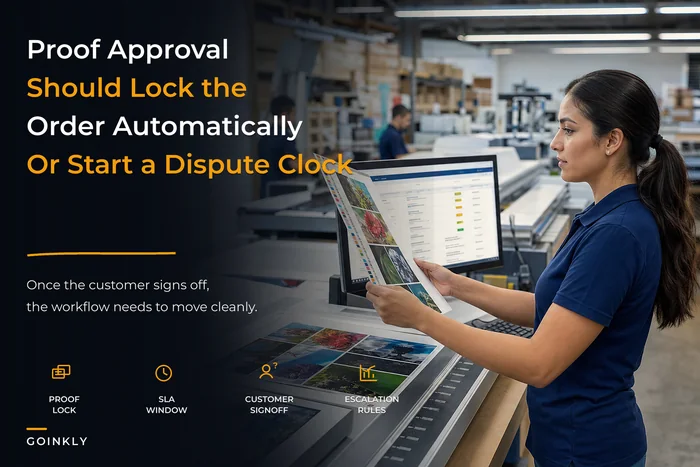
Set an approval clock. "Proof approval needed by [date] to hold your delivery date." Silence is the enemy of a schedule—an approval window keeps the client's delay from quietly becoming your late job.
On first orders specifically, push for a slightly heavier proof process than you'd use with a known client. A repeat customer who's approved forty jobs has earned a lighter touch. A brand-new client who's never seen your output hasn't. The proof stage is also where you're teaching them how you work—if you're loose here, you're training them to be loose too.
For the mechanics of proof stages, SLA windows, and how to handle it when a client disputes a run anyway, the customer order experience blueprint goes deeper into the dispute-handling side than I'll cover here.
Sample-shipment rules: decide this before the client asks
Samples are a quiet source of first-order friction. Either the client expected a sample and didn't get one (now they're nervous and micromanaging), or they didn't expect one and you shipped it, ate the freight, and delayed the run waiting for feedback.
-
No sample, run full. Repeat-style job, client's seen your work, low risk. Move straight to production.
-
Digital/soft proof only. Client gets a color-managed PDF or photo of the pulled sheet, approves, run proceeds. No shipping delay.
-
Physical sample before run. You produce a small quantity, ship it, and hold the balance until approval. Reserved for high-value first orders, tricky stock, or critical color matches.
The rule that saves you money: a physical pre-run sample should be tied to a threshold, not a mood. Something like—any first order over a certain quantity or dollar value, or any job on unfamiliar stock, gets a physical sample; everything else gets a soft proof. Once it's a rule, your CSRs stop negotiating it case by case, and clients stop treating free physical samples as the default.
One thing that trips shops up: when you send a physical sample, the balance of the run is on hold, and that hold needs to be visible in your schedule. A sample sitting in a client's inbox for a week while you assume the job is "in progress" is how a two-week job becomes a five-week job. Whatever tracks your jobs should show that hold state explicitly.
A first-order workflow, start to finish
[Intake Gate] → [File Triage] → [Proof Issuance] → [Sample Decision] → [Production] → [Delivery + Capture]
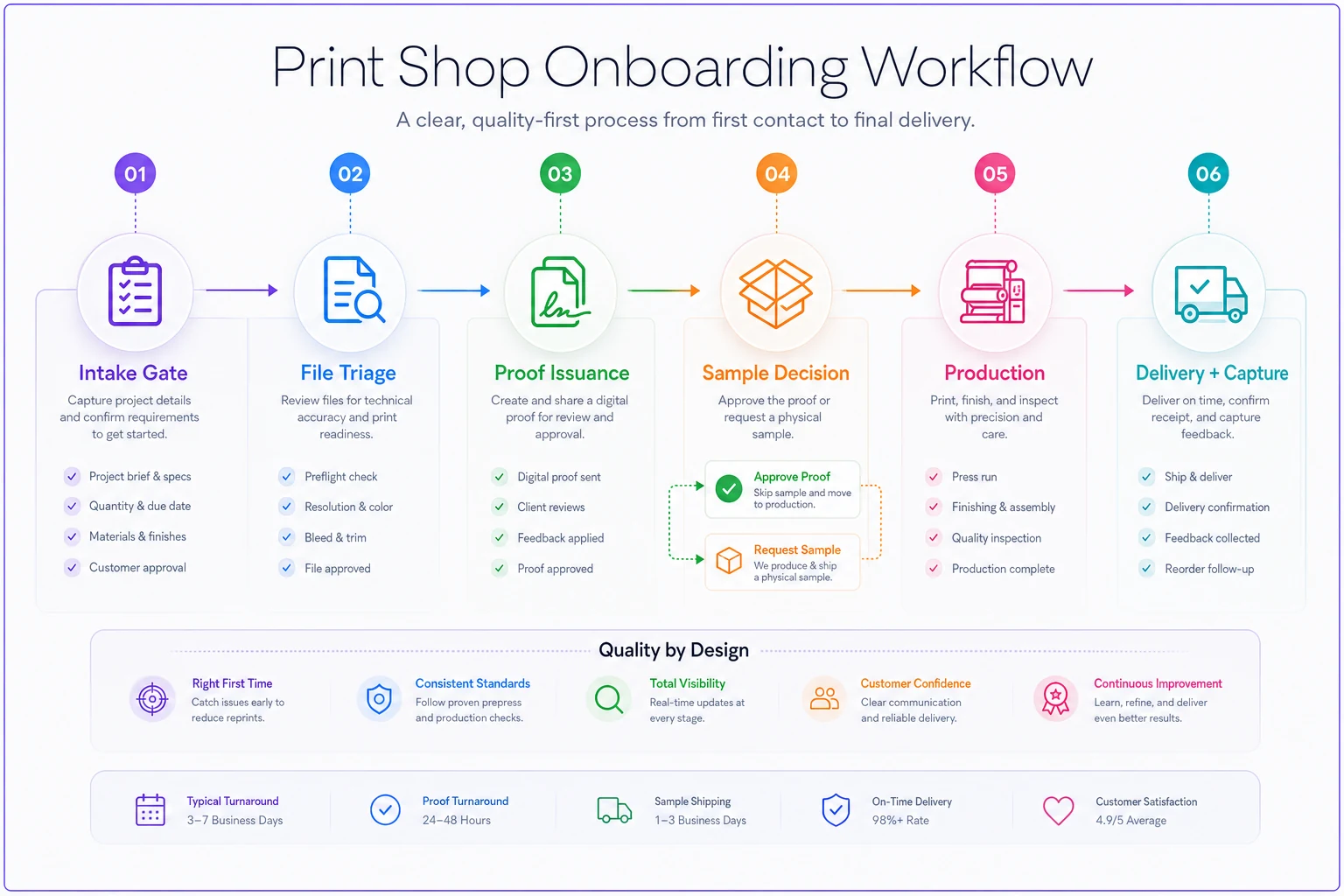
A simple visual of the flow helps teams and clients see the gate points at a glance.
-
Intake gate. CSR completes the enforced checklist. Missing mandatory fields = job can't advance. Client receives the file spec sheet during this step.
-
File triage. Incoming files run through the five-point check. Failures bounce back with specific notes before entering production.
-
Proof issuance. Versioned proof goes out with an approval clock and the screen-vs-press disclaimer. Explicit approval action required.
-
Sample decision. Based on the threshold rule, the job is flagged no-sample, soft-proof, or physical-sample-before-run. Hold states are visible on the schedule.
-
Production. Only reached after intake, files, proof, and sample rules are all satisfied.
-
Delivery + capture. Once delivered, everything you learned—the client's real trim size, their brand builds, their approver, their sample preference—gets saved to their profile.
That last step is the one everyone forgets, and it's the whole reason onboarding pays off twice. The first order is expensive because nothing's known. The second order should be cheap because everything's known—but only if you captured it. If your CSR re-asks the client for their Pantone values on order two, you've thrown away the money you spent learning them on order one.
A real scenario
A mid-size commercial shop—commercial print and some wide-format, maybe eight people—was reprinting a meaningful chunk of first-time jobs. When they actually tagged reprint causes for a couple of months, somewhere between a third and 40% of reprints traced back to first orders: mostly missing bleed, wrong trim size, and "I approved it but didn't really look" proof disputes.
They didn't buy anything fancy to fix it. They built the enforced intake checklist, a one-page file spec they sent before files came in, versioned proofs with a required approval click, and a simple sample threshold (physical sample on any first order over roughly 1,500 units or on unfamiliar stock).
Over the next quarter, first-order reprints dropped by more than half. Not to zero—nothing gets to zero. But the bigger surprise was repeat behavior. Because the first order went smoothly and client specs were captured, reorders came back faster and needed far less hand-holding. A handful of clients who'd historically been one-and-done started reordering. The onboarding work paid off less in saved scrap and more in the fact that clean first orders tend to turn into repeat clients.
When a heavy onboarding process is overkill
This isn't a case for treating every job like a NASA launch.
-
Tiny, low-value jobs don't need a physical sample or a three-round proof. A soft proof and a light checklist is plenty. Over-processing a $40 order just annoys everyone.
-
Established repeat clients shouldn't be dragged back through full onboarding. Their profile already holds the answers. Re-asking known clients for known information makes you look disorganized, not thorough.
-
True commodity reorders where nothing's changed should be nearly frictionless. The gate is for uncertainty, and there isn't any.
The whole system is calibrated to risk and unfamiliarity. High on both, you use every rule. Low on both, you get out of the client's way.
Bringing it back to the shop floor
First-order rework isn't a quality problem, and it isn't your CSRs being careless. It's the predictable result of running unfamiliar work without a structure that forces the unknowns into the open before they hit a press.
Intake standards, published file specs, real proof rules, and a sample threshold are cheap to build and they attack the failures where they actually start. Build them as enforced steps, not reminders. Capture what you learn on order one so order two is easy. Do that consistently, and the first order stops being the one you dread—and starts being the reason the client comes back.
Intake standards, published file specs, real proof rules, and a sample threshold are cheap to build and they attack the failures where they actually start. Build them as enforced steps, not reminders. Capture what you learn on order one so order two is easy. Do that consistently, and the first order stops being the one you dread—and starts being the reason the client comes back.
Ready to simplify your print shop operations?
Join 500+ print shops using GoInkly to save time, reduce errors, and improve customer satisfaction.