
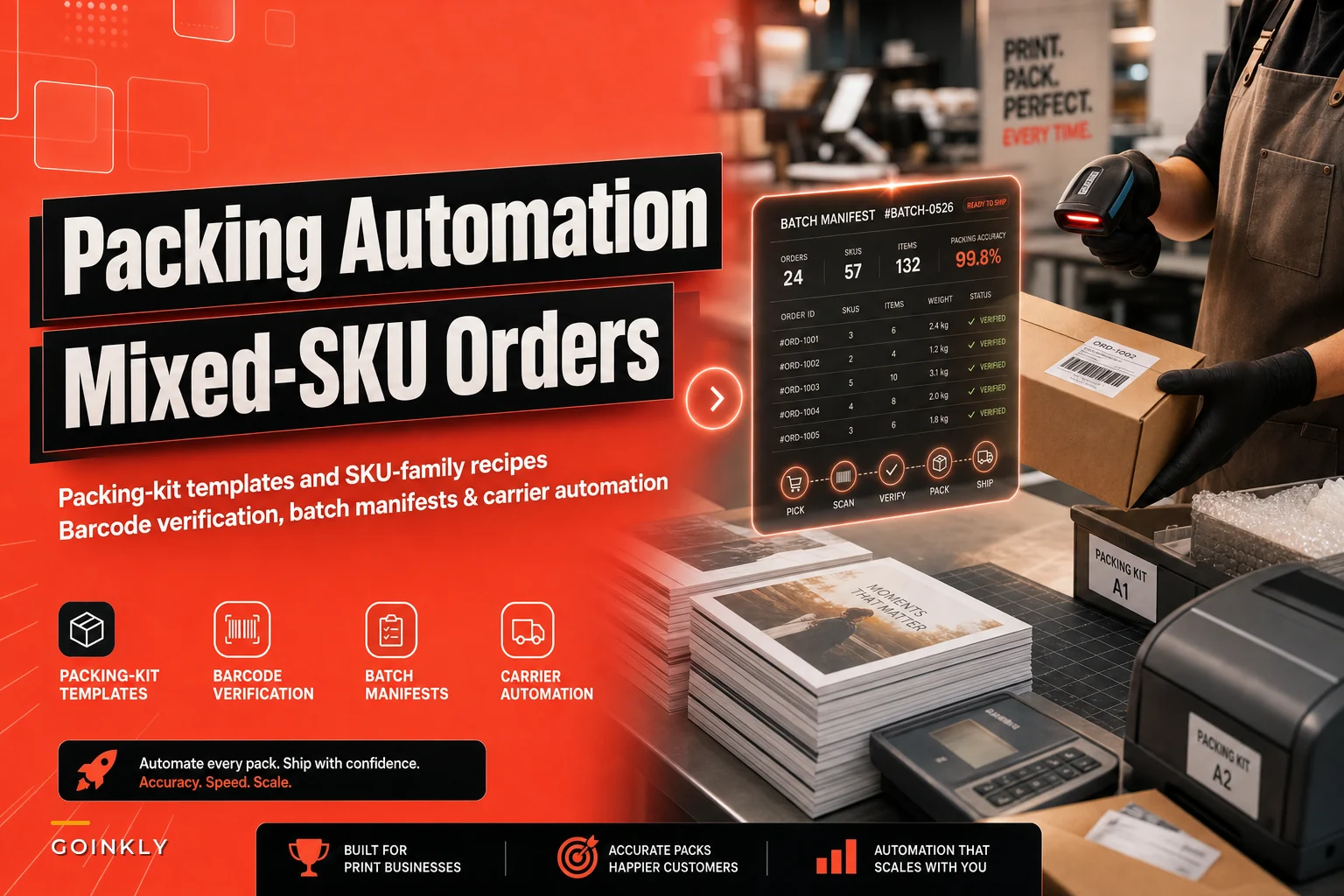

Mixed-SKU print orders break at the pack bench more than anywhere else in the shop. The press runs clean, finishing looks great, and then someone at the packing table has to reconcile 14 line items across three SKU families into two boxes, add corner protectors to the framed pieces, remember which SKU ships flat versus rolled, and get everything out before the carrier pickup at 4:30. That's where mistakes happen — and it's the part of the shop most owners never bother to systematize.
This post is narrowly about the pack-and-ship layer for mixed orders: how to build packing-kit templates per SKU family, how to set up barcode-based verification so the wrong item never leaves in the wrong box, and how to generate batch manifests and carrier labels without hand-typing addresses. If you've already worked through your labeling scheme in the barcode rollout plan, this is the operational layer that sits on top of it.
Why the pack bench is where mixed orders fall apart
The core problem is that packing decisions live in someone's head. A shop might have five or six recognizable product families — flat stock (business cards, flyers), rolled goods (banners, posters), rigid signage (foam board, aluminum), framed or mounted prints, and apparel or specialty items. Each one has its own packing logic. Flat prints need a chipboard sandwich. Rolled goods need a tube with end caps and a tape spiral. Rigid signage needs edge protection and a "do not bend" flag. Framed prints need corner blocks, a face-down orientation, and fragile handling.
When a single order contains three of those families, the packer has to hold all those rules in their head simultaneously, match physical items to the pick list, and choose the right box size. This goes wrong when volume spikes and an experienced packer is out. The new person packs a $180 canvas print flat against a stack of banners, the corner crushes in transit, and now you're reprinting and eating a second shipping charge.
What shows up consistently across print shops is that damage claims and reships cluster around two failure points: fragile items packed by the wrong method, and the wrong item going in the box entirely on multi-line orders. Both are preventable with structure. Neither gets fixed by "being more careful."
Packing-kit templates per SKU family
A packing-kit template is a standard recipe that tells the packer exactly what materials and steps a given SKU family requires. You define it once per family, not once per order, so it scales as your catalog grows.
Eliminate order confusion and delays.
GoInkly helps you manage every print order efficiently from submission to delivery.
- Centralized order tracking
- Production workflow management
- Inventory and supply monitoring
No credit card required
Here's a practical breakdown of what a per-family template should specify:
| SKU family | Default packaging | Protection materials | Orientation flag | Special step |
|---|---|---|---|---|
| Flat stock (cards, flyers) | Rigid mailer or small box | Chipboard top + bottom, poly sleeve | Flat | Shrink-band if loose stacks |
| Rolled goods (banners, posters) | Kraft tube + end caps | Tissue interleaf, tape spiral | Rolled, print-side in | Verify tube length vs longest edge |
| Rigid signage (foam, ACM) | Custom-cut box or edge-protected flat | Foam corner guards, edge channels | Flat, fragile | "Do Not Bend" + "This Side Up" |
| Framed / mounted | Double-wall box | Corner blocks, foam wrap, face-down layer | Face-down | Photograph before sealing |
| Apparel / specialty | Poly mailer or box | Poly bag per unit | N/A | Fold spec per item |
The template isn't a wall poster — those get ignored. It should live wherever the packer confirms the order, so the correct kit appears the moment they scan or open the job. The template also drives your materials par levels: if you know how many rolled-goods orders you push per week, you know your tube burn rate, and you stop running out of end caps mid-shift.
One pattern worth calling out: shops that build these templates almost always discover they've been over-packing cheap items and under-packing expensive ones. No rule existed, so a $12 flyer stack got wrapped with the same care as a $200 framed piece. Defining family-level standards also lets you right-size your material costs.
When family templates make sense — and when they don't
Templates earn their keep the moment your orders regularly mix families. If you're a pure business-card shop shipping one flat SKU all day, templates are overkill — a single default rule covers you. Where they become essential is wide-goods and specialty shops: sign printers, canvas and décor operations, promo shops, anyone whose average order touches two or three physical formats.
Keep each family to the fewest steps that reliably prevent damage; long 20+ step recipes get ignored.
One thing to avoid: templates so detailed nobody follows them. If your recipe has 22 steps, packers will freelance. Keep each family to the fewest steps that reliably prevent damage and let experience fill the rest.
Barcode-based packing verification: making the wrong item impossible
Templates fix how things get packed. They don't stop the wrong item from going in the box. That's what barcode verification handles.
-
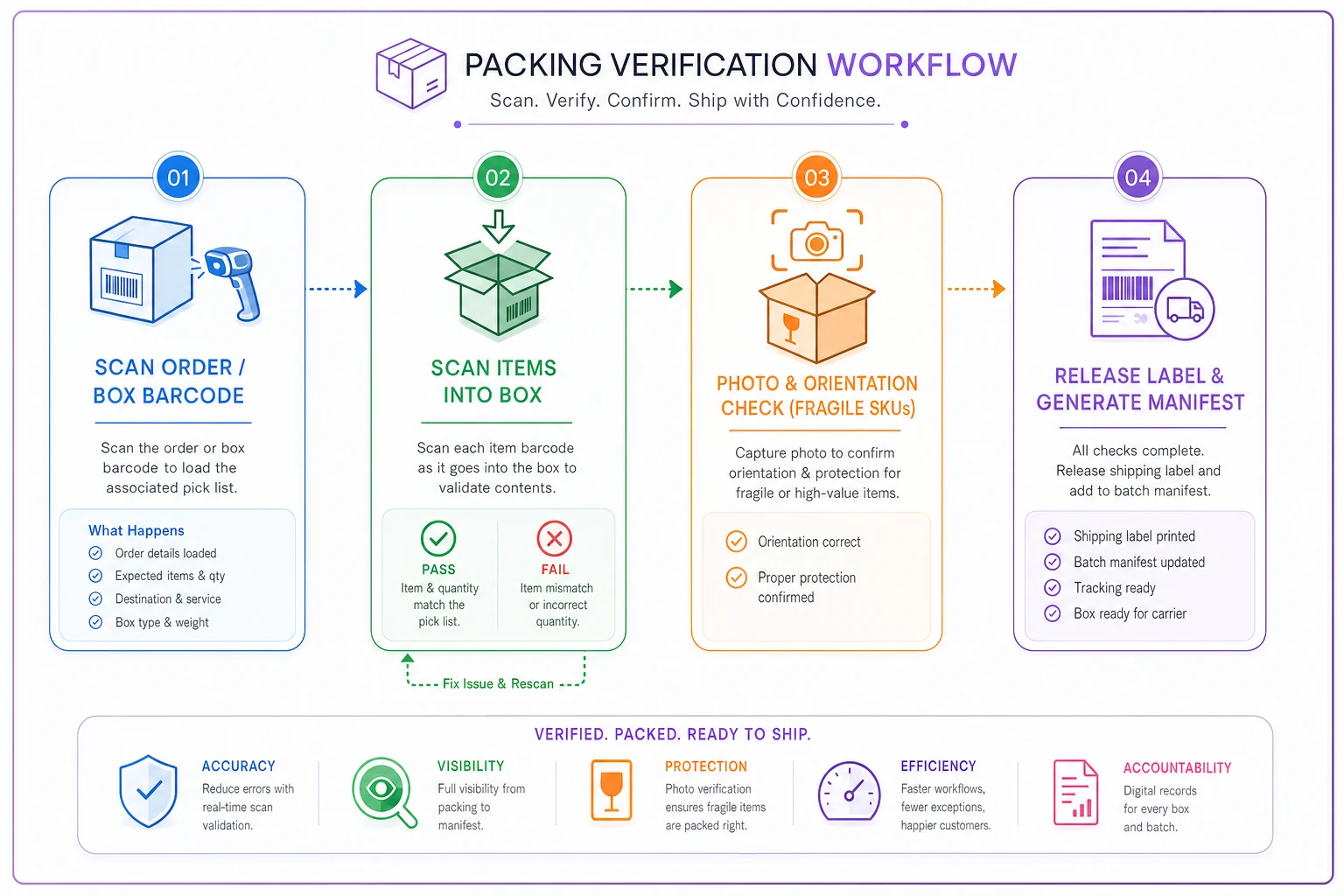
Packer scans the order/box barcode to load the expected pick list.
-
Packer scans item one — system confirms it belongs to this order and marks the line.
-
Repeat for each item; unexpected or duplicate scans trigger a visible/audible reject.
-
Short items (scanned fewer than ordered) block the "complete" step.
-
When every line is matched, the system releases the shipping label.
The most valuable rule is number four: you cannot print the shipping label until every line is verified. That one constraint eliminates the "we shipped 9 of 10 items" problem that generates support tickets and partial-reship costs. It also catches the reverse — the extra item that quietly eats into your margin.
The pack-and-verify flow looks like this:
Where verification actually pays off
If your error rate on multi-line orders is already close to zero and volume is low, hard-gated verification can slow a good packer down for minimal gain. It makes real sense for any shop shipping more than a few dozen mixed orders a day, or any shop where a single wrong-item shipment costs real money to fix.
Fragile, high-value catalogs hit that threshold fast.
Batch manifests: stop touching one order at a time
Packing orders one by one, printing labels one at a time, and hand-typing tracking numbers into emails is where afternoons disappear. Batch manifest generation flips the model: group ready-to-ship orders, generate all labels in one pass, and produce a single carrier manifest for pickup.
A workable batching flow looks like this:
-
Filter for orders where every line is finished and verified.
-
Group by carrier and service level (ground vs. expedited).
-
Optionally sub-group by SKU family so the pack bench works one packaging type at a time.
-
Generate labels for the whole batch, sorted in pick order.
-
Produce one end-of-day manifest per carrier for the driver to scan once.
That SKU-family sub-grouping is an underrated efficiency move. Packing 20 rolled-goods orders in a row — same tubes, same motion — is dramatically faster than alternating between a tube, a framed box, and a flyer mailer every 90 seconds. Batching by family removes the constant setup and teardown of materials at the bench.
If you run priority lanes for rush work, keep those out of the standard batch — they should flow through their own fast path, which connects directly to how you schedule rush jobs without derailing production. Mixing a hot rush into a 40-piece batch is how the rush gets buried.
Carrier automation for print SKUs and fragile handling
The last piece is getting rate, service, and packaging attributes right automatically instead of relying on the packer to recall them from memory. Print SKUs have quirky shipping profiles: rolled goods are dimensional-weight sensitive, rigid signage often needs oversize handling, and fragile items should carry the right declared value and handling flags.
-
Rolled goods → pull tube dimensions into the rate call so dim-weight is priced correctly, not guessed.
-
Rigid/oversize → auto-flag oversize surcharges before the label prints, so the quote and actual cost match.
-
Fragile/framed → attach declared value and fragile handling automatically based on the SKU.
-
Address validation on every order before the batch runs, so you're not reprinting labels for bad ZIPs.
The common mistake is letting packers pick the service level manually. On a busy afternoon someone upgrades a ground order to two-day "to be safe," and you've quietly given away $18 of margin. Rules-based service selection — driven by the order's promised date rather than the packer's judgment — closes that leak.
Where operational software helps is stitching these steps together: the verification gate, the batch grouping, the family-aware carrier rules, and the manifest all reference the same order record, so nothing gets re-keyed. That's the point — not automation for its own sake, but removing the handoffs where errors and time both accumulate.
A real scenario
A mid-size sign and canvas shop was shipping roughly 60–80 mixed orders a day across four SKU families. Their damage-and-reship rate on orders containing a framed or rigid piece sat around 4–5%, and the pack bench was a two-person bottleneck every afternoon — hand-matching pick lists, choosing boxes from memory, typing addresses into the carrier site one order at a time.
They did three things: wrote per-family packing templates (five families, each under eight steps), added scan-to-verify with a hard label gate and a photo step for fragile SKUs, and switched to end-of-day batch manifests grouped by family and carrier.
Wrong-item ships basically stopped — the label gate made them structurally impossible. Fragile damage claims dropped by more than half over a couple of months, helped as much by the standardized corner-block step as by the photos winning the remaining carrier disputes. The pack bench went from a frantic two-person scramble to one person comfortably clearing the batch, with the second person freed up for finishing during the afternoon crunch.
None of it was dramatic overnight. It was steady improvement that held because the rules lived in the workflow instead of in someone's head.
Where to start
Don't try to build all of this at once. The order that works: templates first (they're free and immediately reduce damage), verification second (it needs your barcode labels in place), then batching and carrier rules once the first two are steady.
-
List your SKU families and write one packing template per family — keep each short.
-
Confirm every packable unit carries a scannable barcode tied to its order line.
-
Add the hard rule that no shipping label prints until every line is verified.
-
Add a photo checkpoint for fragile and high-value families.
-
Group ready orders into batches by carrier and family before printing labels.
-
Set service-level selection by promised date, not packer discretion.
The pack bench feels like the least strategic part of a print shop, which is exactly why it stays broken. Every wrong item, crushed corner, and hand-typed address is a small, repeatable cost — and repeatable costs are the ones worth designing out permanently.
The pack bench feels like the least strategic part of a print shop, which is exactly why it stays broken. Every wrong item, crushed corner, and hand-typed address is a small, repeatable cost — and repeatable costs are the ones worth designing out permanently.
Ready to simplify your print shop operations?
Join 500+ print shops using GoInkly to save time, reduce errors, and improve customer satisfaction.