

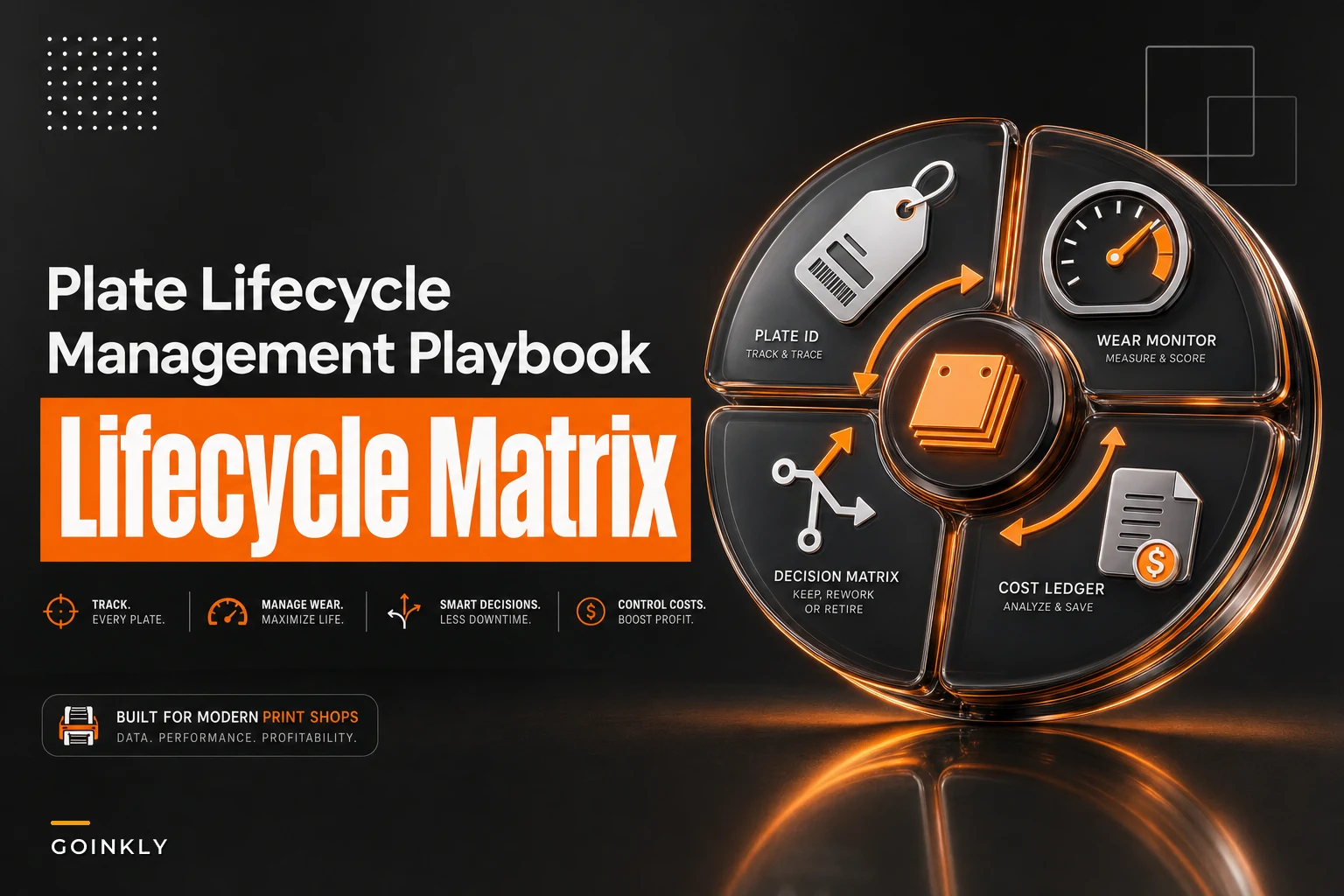

Most shops track plates the same way they track paper clips. They know roughly how many they have, buy more when the box looks low, and toss plates when someone on the floor decides they look "worn." That works fine until a client calls about banding on a long run and nobody can tell you how many impressions that plate already pushed through, when it was last reconditioned, or whether its cost was ever recovered across a single job.
Plate decisions live in a weird gap. Individually they're cheap enough that tracking feels unnecessary, but collectively they eat a real slice of consumable spend and cause quality problems that are expensive and genuinely hard to trace. A shop running flexo or offset work without any plate lifecycle discipline is basically guessing on two things simultaneously: when a plate will fail, and whether it ever paid for itself.
This post is about closing that gap — not with a giant system, but with a plate-ID scheme, a simple recondition-vs-replace decision matrix, a few lifecycle triggers, and a cost-allocation method that actually ties back to your job costing.
The real problem: plates fail silently and cost invisibly
A worn plate rarely announces itself. It doesn't stop working like a broken belt does. It just gradually produces dot gain, slur, or inconsistent ink laydown, and those defects get blamed on press settings, ink, substrate, the operator — basically everything except the plate.
In practice, the failure usually looks like this: a repeat job that ran clean six months ago suddenly needs two extra make-readies to hit color. The operator fiddles with it, burns extra stock, maybe pulls the plate and grabs a "spare." Nobody logs any of it. Three weeks later that same plate gets pulled from the rack again because it looks okay, and the cycle repeats.
The cost side is just as invisible. When a plate gets replaced, that spend typically lands in a generic consumables bucket rather than against the jobs that actually consumed the plate's life. So a client who runs the same plate 40 times a year and a client who runs it once both get charged as if plates are free. You can't fix a margin leak you can't see.
Start with a plate-ID that survives the floor
Everything downstream depends on identifying a specific plate and finding its history. This sounds obvious, and almost nobody does it well. Tracking fails because the ID scheme is either too complicated to write by hand or too fragile to survive ink, solvent, and storage.
Eliminate order confusion and delays.
GoInkly helps you manage every print order efficiently from submission to delivery.
- Centralized order tracking
- Production workflow management
- Inventory and supply monitoring
No credit card required
A plate-ID setup that actually holds up needs three things: a short unique ID, the attributes you'll filter by later, and a physical marking method that survives cleaning.
| Field | Example | Why it's there |
|---|---|---|
| Plate ID | PL-0427 | Short, unique, human-readable. Everything hangs off this. |
| Press/process | OFF / FLX | Lets you segment wear behavior by process. |
| Job or artwork ref | ART-1193 | Ties the plate to the repeating artwork, not just one order. |
| Date into service | 2026-03 | Anchor for age-based triggers. |
| Reconditions | R1, R2 | Running count of how many times it's been reworked. |
The ID itself (PL-0427) is the only thing you physically mark on the plate or its sleeve/carrier. Everything else lives in the log. Don't try to encode the whole life story on the plate — it won't survive, and handwriting a 20-character string at 4pm on a Friday is exactly how data entry dies.
For marking, what holds up on the floor is a solvent-resistant label on the carrier or sleeve plus an engraved/etched tag where the process allows. Writing directly on plates with a marker tends to disappear after a few wash cycles — which is exactly when you need the ID most.
Lifecycle triggers: stop retiring plates on vibes
The whole point of tracking impressions and wear is to replace "it looks worn" with a trigger you can actually defend. You need two kinds running simultaneously, because plates fail in two different ways.
Volume-based triggers (impressions). Every plate type has a realistic impression range before quality degrades. Skip the manufacturer's theoretical max — you need your observed number on your presses with your substrates, which is almost always lower. Track cumulative impressions per plate and set a review threshold at a percentage of your observed failure point.
Condition-based triggers (wear metrics). Impressions alone lie, because an abrasive stock or a tight-register job wears a plate faster than a clean run on coated material. So you also log observed wear signals:
-
Dot gain creeping past your tolerance on press
-
Visible scumming or background toning that wasn't there before
-
Edge wear or nicks on the plate surface
-
Make-ready time climbing on a repeat job that used to run fast
-
Operator noting it needed extra passes to hit color
The pattern worth internalizing: condition triggers almost always fire before the volume trigger on jobs with abrasive substrates, and the volume trigger fires first on clean, high-volume work. Track only one and you'll be wrong on roughly half your plates.
A simple lifecycle flow that holds up:
-
Plate goes into service, logged with ID and date.
-
Each run appends impressions to the cumulative total.
-
Operator logs any wear flags at run end (one checkbox, not an essay).
-
When cumulative impressions hit the review threshold OR two wear flags appear, the plate moves to a "review" state — not the trash.
-
Review decision
recondition, replace, or run-to-fail on low-stakes work.
-
Decision and cost logged against the plate ID.
The "review" state matters. The mistake most shops make is treating the trigger as an automatic replace order. Triggers aren't verdicts — they're the moment a human makes a cheap, informed decision instead of an expensive, blind one.
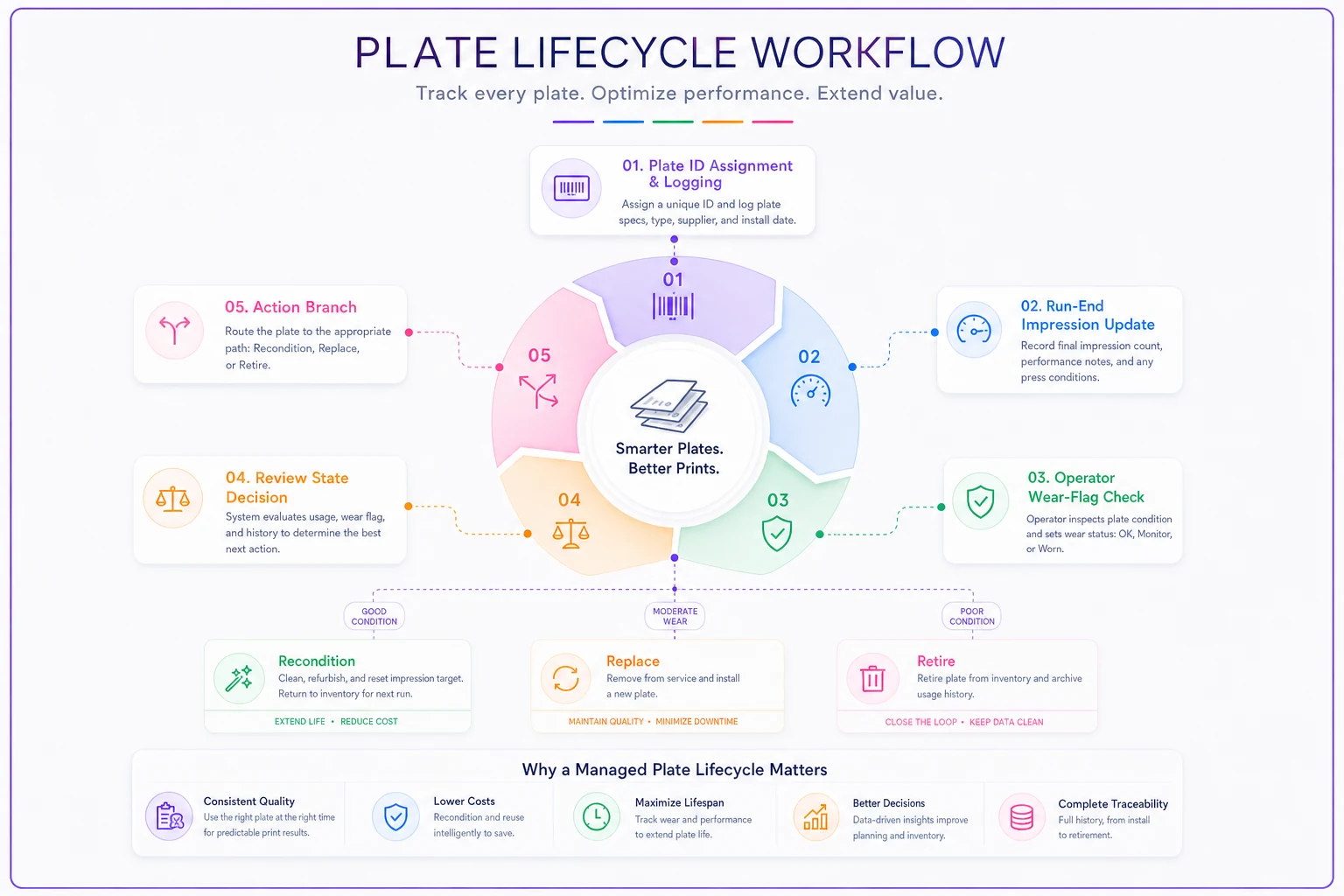
The lifecycle flow above is small process discipline, not a dramatic investment. Treat the graphic as the set of steps you want operators and supervisors to follow at run end and at review.
Recondition vs replace: the decision matrix
Reconditioning (re-grinding, re-coating, or reprocessing depending on plate type) extends plate life for a fraction of replacement cost — but only inside a specific window. Recondition too early and you've wasted money on a plate with plenty of life left. Recondition too late and you've already burned stock and press time on defective output, then paid for the rework anyway.
The decision comes down to four variables: how much life is left, how expensive the plate is to replace, how often the artwork repeats, and how tight the quality tolerance is.
| Situation | Recondition | Replace | Run to fail |
|---|---|---|---|
| High-value plate, early-mid wear, repeating artwork | ✅ Best choice | Wasteful | No |
| Cheap plate, first wear flags | Usually not worth the handling | ✅ Simpler | Sometimes |
| Tight-tolerance client work, any real wear | Only if recondition restores to spec | ✅ Safer | Never |
| Low-stakes internal/proofing work | Rarely | No | ✅ Fine |
| Artwork unlikely to repeat | No — don't invest in a dead plate | Replace only if needed now | ✅ Likely |
| Plate already reconditioned 2x | Diminishing returns — inspect hard | ✅ Often time | No |
Two things worth calling out. First, repeating artwork is the single biggest factor pushing toward recondition — a plate you'll run 30 more times is worth saving; a one-off isn't. Second, recondition count matters more than people expect. Most plate types lose meaningful durability with each recondition cycle, so a second or third recondition carries real risk. Logging the R count isn't just bookkeeping — it's a genuine input to the decision.
When reconditioning is a bad idea
-
Tight-register or high-end color work where "close enough" triggers a redo
-
Plates already reconditioned to their practical limit
-
Artwork that's being retired or redesigned soon
-
When recondition turnaround would delay a committed deadline — sometimes a new plate now beats a reconditioned plate in three days
Reconditioning is a judgment call inside a narrow window. Use the R-count, the expected remaining impressions, and the business value of the repeat work to make that call defensible.
The tracking log that doesn't die after two weeks
Every plate-tracking effort dies the same way: the log is too heavy for the floor to maintain. Operators stop filling it in, data goes stale, and within a month you're back to guessing.
The log has to be fast enough to update at run end in under 30 seconds. That means pre-filled fields, checkboxes for wear flags, and impression counts that ideally pull from the press counter rather than manual entry. A workable minimum captures:
-
Plate ID
-
Job/order number for this run
-
Impressions this run (and running cumulative)
-
Wear flags (checkboxes)
-
Current state
in service / review / reconditioned / retired
-
Cost events
recondition cost, replacement cost, with date
Keep the log keyed to the plate ID but linked to job numbers so you can read it by plate or by job.
The useful move is keeping the log keyed to the plate ID but linked to job numbers, so you can read it two ways: "show me this plate's whole life" and "show me every plate that touched this job." Without that link, you can track plates all day and still never connect them to actual cost.
Shops running an MIS or operations platform have a real advantage here — if plate records live in the same system as jobs, impression counts and cost events attach to jobs automatically instead of living in a spreadsheet nobody reconciles. The automation that matters isn't fancy; it's just removing the manual step where someone has to remember to copy a number from the press into a log. That one removed step is usually the difference between a tracking system that survives and one that doesn't.
Allocating plate cost into job costing (the part everyone skips)
Here's the core accounting problem: a plate is a small asset consumed across many jobs, but it's usually expensed to whatever month it was purchased. That mismatch means your job costing on mixed-batch work is quietly wrong for any client who reuses plates.
The fix is treating the plate like a tiny depreciating asset and spreading its cost across the impressions it produces. Same logic you'd apply in an equipment investment and TCO framework, just scaled down to a consumable.
Per-impression plate cost = (plate cost + reconditioning costs) ÷ total usable impressions over life
Each job then gets charged plate cost based on the impressions it actually ran.
A worked example
-
Plate replacement cost
$180
-
Reconditioned once during life
+$60
-
Total cost over life
$240
-
Observed total usable impressions before retirement
roughly 300,000
Per-impression plate cost = $240 ÷ 300,000 = $0.0008 per impression
| Job | Impressions this run | Plate cost allocated |
|---|---|---|
| Job A (big run) | 120,000 | ~$96 |
| Job B (mid run) | 45,000 | ~$36 |
| Job C (small run) | 8,000 | ~$6.40 |
Compare that to the old method, where the full $180 plate hits whatever job happened to trigger the purchase. Under that approach, Job C might absorb the entire $180 — making a small job look unprofitable — while Jobs A and B that consumed most of the plate's actual life pay nothing. Spread properly, each job carries its real share, and reconditioning cost is baked in rather than lost somewhere.
The piece most shops miss: recondition spend belongs inside the per-impression number. If you only amortize the original plate and expense reconditioning separately to a random month, you've recreated the same distortion you were trying to fix.
A simpler allocation for shops not ready for per-impression math
If per-impression tracking feels like too much right now, a middle-ground approach still works: calculate a plate cost per run for a given repeating artwork by dividing total plate lifecycle cost by the number of runs over its life. Less precise, but it still pushes plate cost onto the right client instead of a generic consumables bucket. A rough allocation that's roughly right beats a precise one you never actually implement.
A real scenario
A mid-sized shop doing recurring label and carton work had plates landing in general consumables with zero tracking. They replaced plates reactively — usually after a quality complaint — and had no idea which clients were genuinely cheap to serve versus quietly expensive.
They put in a plate-ID scheme, a run-end log tied to job numbers, and per-impression allocation. Nothing sophisticated — mostly a disciplined log plus impression counts pulled from the press.
Within a quarter, two things surfaced. First, several plates were being reconditioned far too late. The make-ready waste on those repeat jobs had been burning press time nobody connected back to the plates. Moving to a condition-trigger review caught problems earlier and cut a noticeable chunk of avoidable spoilage. Second, the allocation revealed that two "good" recurring clients were running on plates that got reconditioned twice a year, and their quoted pricing had never reflected it. Repricing those jobs recovered somewhere in the low thousands annually — not dramatic, but it was pure margin that had been leaking in plain sight.
The quieter win: operators stopped arguing about whether a plate "looked worn." The trigger decided when to review, the matrix decided what to do, and the log remembered everything.
Where to start
You don't need to track every plate from day one. Start with your repeating, high-volume artwork — that's where tracking pays off fastest and where allocation errors are biggest.
-
Assign plate IDs to your top repeating plates first
-
Set a review threshold from your observed impression failure point, not the spec sheet
-
Add a run-end wear-flag checklist operators can finish in seconds
-
Capture every recondition and replacement cost against the plate ID
-
Fold reconditioning cost into per-impression allocation, not a separate bucket
-
Link plate records to job numbers so you can read them in both directions
Start with the plates you run most, keep the log light enough to actually survive the floor, and let the allocation show you where the margin was hiding.
Plate lifecycle management isn't about squeezing a few extra impressions out of worn stock. It's about replacing guesses with triggers, and replacing invisible costs with numbers that land on the right job. Shops that do this stop being surprised by plate failures and stop mispricing the clients who quietly cost the most to serve. Start with the plates you run most, keep the log light enough to actually survive the floor, and let the allocation show you where the margin was hiding.
Ready to simplify your print shop operations?
Join 500+ print shops using GoInkly to save time, reduce errors, and improve customer satisfaction.