

Most print shops don't have a communication problem. They have a timing problem dressed up as a communication problem.
The messages usually go out. Eventually. The proof approval email gets sent when someone at the front counter remembers, the "your order shipped" text fires whenever the shipping software feels like syncing, and the "we're running two days behind" call happens after the customer has already opened a dispute with their card issuer. The information is technically correct. It's just late, inconsistent, and impossible to prove you ever sent it.
That gap — between when a status changes and when the customer hears about it — is where support tickets and chargebacks live. This post is about closing that gap with a message map wired directly to order-status events, with real acceptance windows and escalation sequences you can actually enforce.
Why status-triggered beats "we'll email them when we get a chance"
The default at most shops is human-triggered messaging. A job moves to a new stage, and at some point a person decides whether the customer needs to know. The problem is that the person deciding is also running a press, chasing a paper delivery, and answering the phone.
So messaging becomes reactive. The customer calls asking where their 500 booklets are, and that call triggers the update. You've inverted the whole thing — instead of your process informing the customer, the customer's anxiety is driving your process.
Event-triggered messaging flips it back. The trigger isn't a human remembering. The trigger is the order record changing state: quote sent, deposit received, proof ready, proof approved, in production, on press, finishing, ready for pickup, shipped, delivered. Each transition either fires a message or it doesn't — and you decide that once, in advance, not job by job.
The insight most owners miss: you don't need to message on every status change. Customers don't care that a job moved from "prepress" to "imposition." They care about a handful of moments where their action is required or their expectation might break. Map those, ignore the rest.
The five moments that actually generate support tickets
Across a lot of shops, support volume clusters around the same five points. If you only build messaging for these, you'll kill the majority of "where's my order" contacts.
Eliminate order confusion and delays.
GoInkly helps you manage every print order efficiently from submission to delivery.
- Centralized order tracking
- Production workflow management
- Inventory and supply monitoring
No credit card required
-
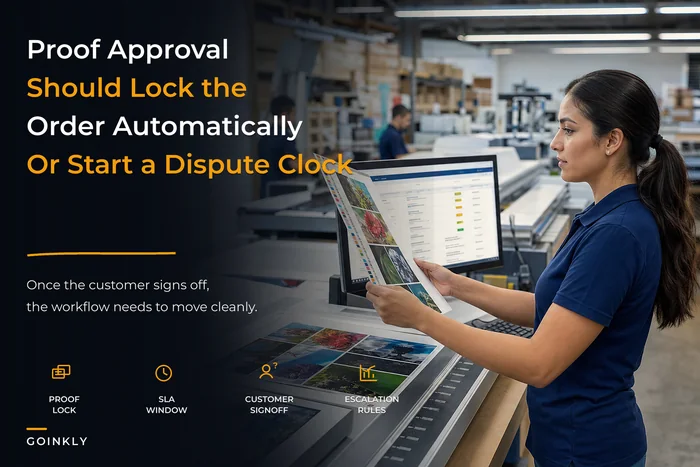
Proof is waiting on them. The job is stalled because the customer hasn't approved, but they think the ball is in your court.
-
Deadline is slipping. Production is behind and the promised date is at risk. Silence here is what turns a delay into a dispute.
-
Order is ready but not moving. Ready for pickup or shipped, and the customer doesn't know — or the tracking number never made it to them.
-
Something changed on their order. A substrate swap, a quantity adjustment, a reprint. Anything they didn't explicitly authorize.
-
Payment or balance is due. Especially the final balance before release, which is where a lot of "surprise" chargebacks originate.
There's a lot of overlap with the front end of the job. The proof stage and the deadline stage together probably account for more inbound calls than everything else combined. If you've already tightened your customer order experience blueprint around proofs and SLA rules, this messaging map is the layer that actually enforces those rules in the wild.
The message map: event, window, template, escalation
Here's the core structure. Every row is: what changed, how long the customer has to respond (the acceptance window), what goes out, and what happens if nobody responds.
| Order event | Message goes out | Acceptance window | If no response → escalation |
|---|---|---|---|
| Proof ready | Immediate | 24 business hours | Reminder at 24h → second reminder at 48h → hold notice + "clock is paused" at 72h |
| Proof approved | Immediate confirmation | — | None (this is a confirmation, not an ask) |
| Deadline at risk | Within 2h of the flag | 12 hours to confirm new date | Phone call + supervisor note if no acknowledgment |
| Ready for pickup | Immediate | 3 business days | Reminder at day 3 → storage/restock notice at day 7 |
| Shipped | On carrier handoff | — | Auto-nudge if tracking shows no movement in 48h |
| Balance due | On production-complete | 24 hours before release | Second notice → release hold until paid |
| Order changed | Before change is executed | Must approve to proceed | Job pauses; nothing moves without a yes |
The acceptance window is the part most shops skip, and it's the part that saves you in a chargeback. A window does two things. It tells the customer exactly what's expected and by when, and it gives you a documented moment where responsibility shifts. If the proof sat unapproved for four days because they never replied, and you have the timestamped reminders to prove it, the "you were late" argument evaporates.
What the templates should actually say
The content matters less than people think, and more than they think — at the same time. Long, apologetic, over-explained messages get skimmed. Vague ones create more questions. The sweet spot is short, specific, and always ending with either a clear next action or a clear "nothing needed from you."
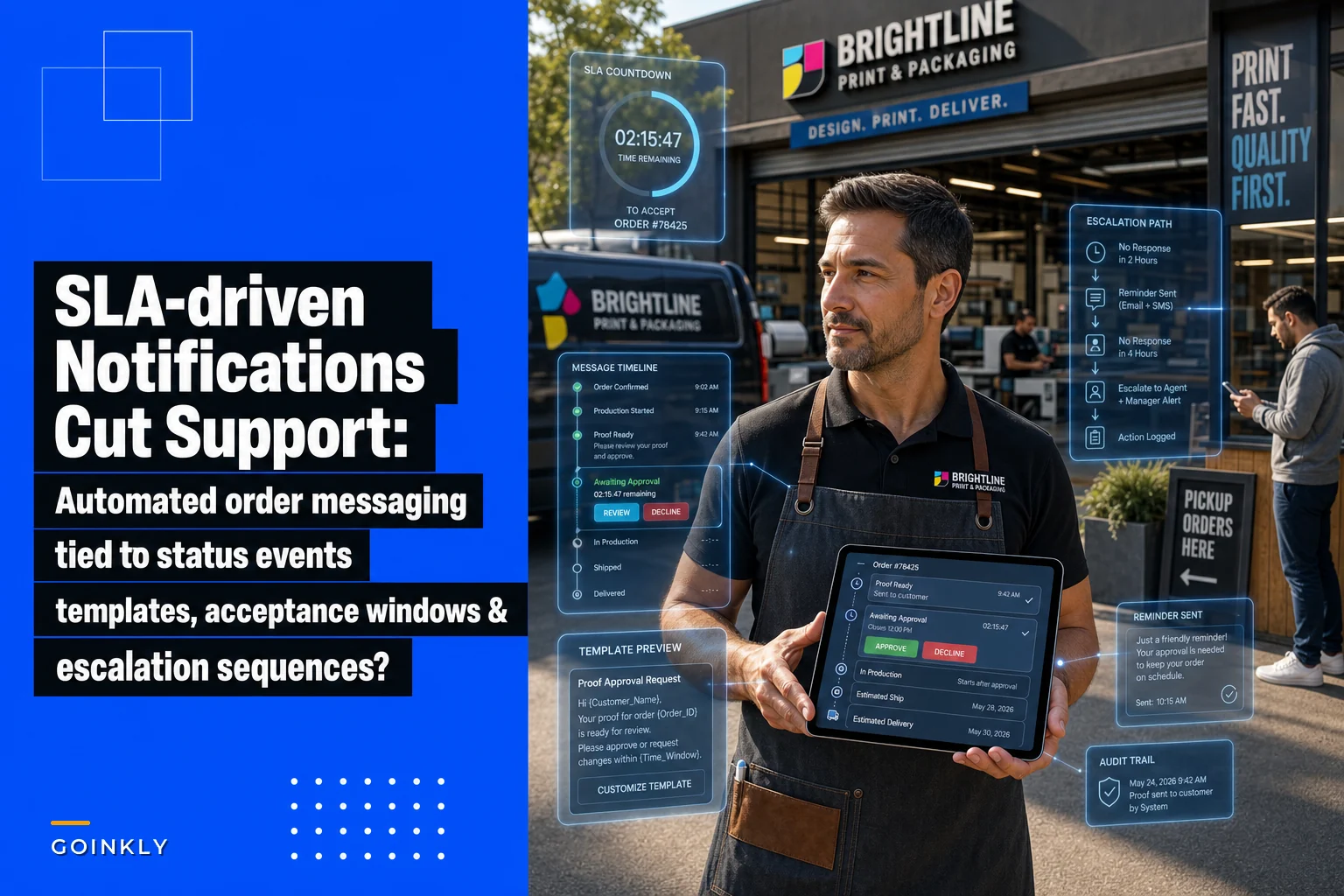
> Your proof for Order #4821 (500 matte business cards) is ready to review: [link]. Please approve or request changes by Thursday 3pm so we can keep your Friday pickup. If we don't hear back by then, your delivery date may move.
That's it. Order number, what it is, what to do, the deadline, the consequence. The consequence line is the one people leave out, and it's the one that gets replies.
A few template rules that hold up in practice:
-
Always include the order number and a one-line description. Customers run multiple jobs. "Your order is ready" means nothing if they've got three open.
-
State the window as a real date and time, not "within 24 hours." "By Thursday 3pm" is enforceable in a person's head. "24 hours" is not.
-
Name the consequence once, plainly. Not as a threat — as information. "Your date may move" is fine.
-
Kill the fluff. No "We hope this message finds you well." Nobody opening a proof link cares.
-
Match the channel to the urgency. Deadline-at-risk goes by text and email. Ready-for-pickup can be email only.
One pattern worth stealing: separate the confirmation messages from the request messages visually and in tone. A confirmation ("proof approved, you're all set") should feel like a receipt. A request ("proof waiting on you") should feel like a to-do. When they look the same, customers stop distinguishing which ones need action.
Escalation sequences: the drip that prevents the dispute
An escalation sequence is a pre-planned series of nudges tied to the acceptance window expiring. The point isn't to nag. It's to make sure that by the time a job goes sideways, no reasonable person can say they weren't warned.
Take the proof stage. A single reminder isn't enough, and five is harassment. Three, spaced across the window, is the pattern that works:
-
Hour 0 Proof ready, here's your window.
-
Hour 24 Friendly reminder, window closing.
-
Hour 48 Second reminder, tone shifts slightly — "we may not be able to hold your date."
-
Hour 72 Hold notice. Job is paused, promised date is off, customer has to re-engage to restart.
That hour-72 message is doing quiet, important work. It moves the job to a "paused, awaiting customer" state so it stops eating production capacity and stops counting against your on-time metrics. It also creates a clean record that the delay originated with them.
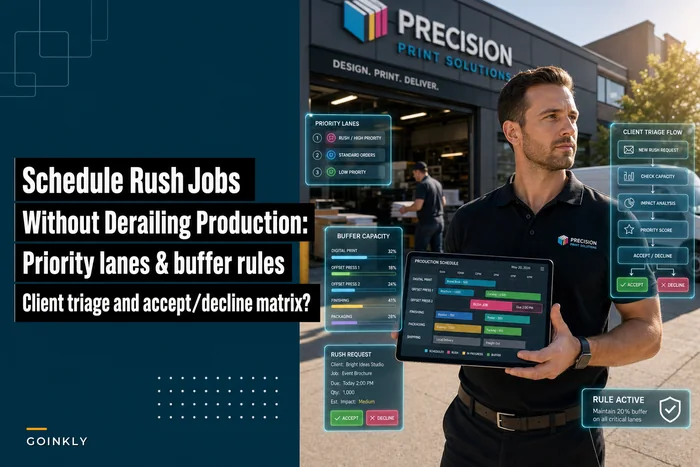
The deadline-at-risk escalation is different because you're the one behind, so it's on you to reach out fast and offer something concrete. A slipped-deadline message with no proposed new date is worse than no message. The escalation is short: automated notice, then a human call within a few hours if they don't acknowledge. This ties directly into how you handle rush jobs and priority lanes without blowing up the rest of the schedule — the messaging is the customer-facing half of the triage decisions you're already making internally.
A real scenario
A mid-sized commercial shop running a mix of business collateral and short-run signage was fielding somewhere around 40–50 status calls and emails a week. Most were proof chasing ("did you get my approval?") and pickup confusion ("is it ready or not?"). Two front-counter people were burning a meaningful chunk of every morning just answering these.
They were also eating two to four chargebacks a month, almost all of them the same story: a delayed order, a customer who felt ignored, and no paper trail showing the shop had communicated the delay or the reason for it.
They mapped the seven events above, wrote short templates, and set the acceptance windows — 24 business hours on proofs, 3 days on pickups, mandatory approval on any order change. Reminders and hold notices fired automatically off the order status instead of off someone's memory.
Within about two months, weekly status contacts dropped to roughly a dozen. Most of the proof-chasing just disappeared because customers were getting timestamped reminders and knew where things stood. Chargebacks fell to maybe one in that whole stretch, and that one got reversed because the timestamped proof reminders showed the customer had sat on the approval for six days. The reclaimed front-counter hours and the cleaner dispute record added up to a noticeable difference in how the mornings ran.
When this makes sense — and when it doesn't
This framework earns its keep when you're running enough volume that manual updates fall through the cracks, and when your disputes tend to hinge on "he said / she said" about timing. If proof delays, missed pickups, and delivery-date arguments are your recurring support themes, mapping events to messages fixes the actual cause.
It's overkill for a very small operation doing a handful of jobs a week where the owner personally knows every customer and every order. At that scale the messaging isn't the bottleneck, and a rigid escalation sequence can feel colder than a quick personal text. Don't automate relationships that are working fine.
It's also a bad idea to bolt this onto messy order statuses. If your "in production" flag doesn't actually mean the job is in production — if statuses get set late, skipped, or fudged — then event-triggered messages will fire at the wrong times and create confusion. Get your status transitions honest first. The message map is only as accurate as the events it listens to.
Who should hold off: shops without a reliable single record of order status. If job state lives half in a spreadsheet, half in someone's head, and half in email threads, build that foundation before you wire messaging to it. Messages triggered by unreliable data are worse than no messages.
Wiring it into how you already work
You don't need to blow up your workflow to start. The build is straightforward if you take it in order:
-
List your real order statuses as they actually exist today, not the idealized version.
-
Circle the five-to-seven that customers care about — the moments where action is needed or an expectation could break.
-
Write one short template per event. Order number, description, action, window, consequence.
-
Set acceptance windows in real time units and decide the exact escalation steps for each.
-
Decide the channel per message — text for urgent, email for informational.
-
Connect the triggers to your order records so the message fires on the status change, not on a human remembering.
-
Log every send with a timestamp against the order, so disputes have a paper trail.
Timestamp every send directly on the order record; it's the thing that wins most disputes.
That last step is the one that quietly pays for the whole thing. Whatever system holds your orders — a purpose-built print shop platform or a workflow tool you've adapted — the value is in having the status change itself fire the message and record it, rather than relying on staff to catch every transition during a busy shift. The automation isn't the point; the reliability and the record are. When the trigger is the data instead of a person's attention, messages stop slipping, and the timestamped log means the rare dispute that does come in resolves in your favor.
Here's a quick visual of that wiring.
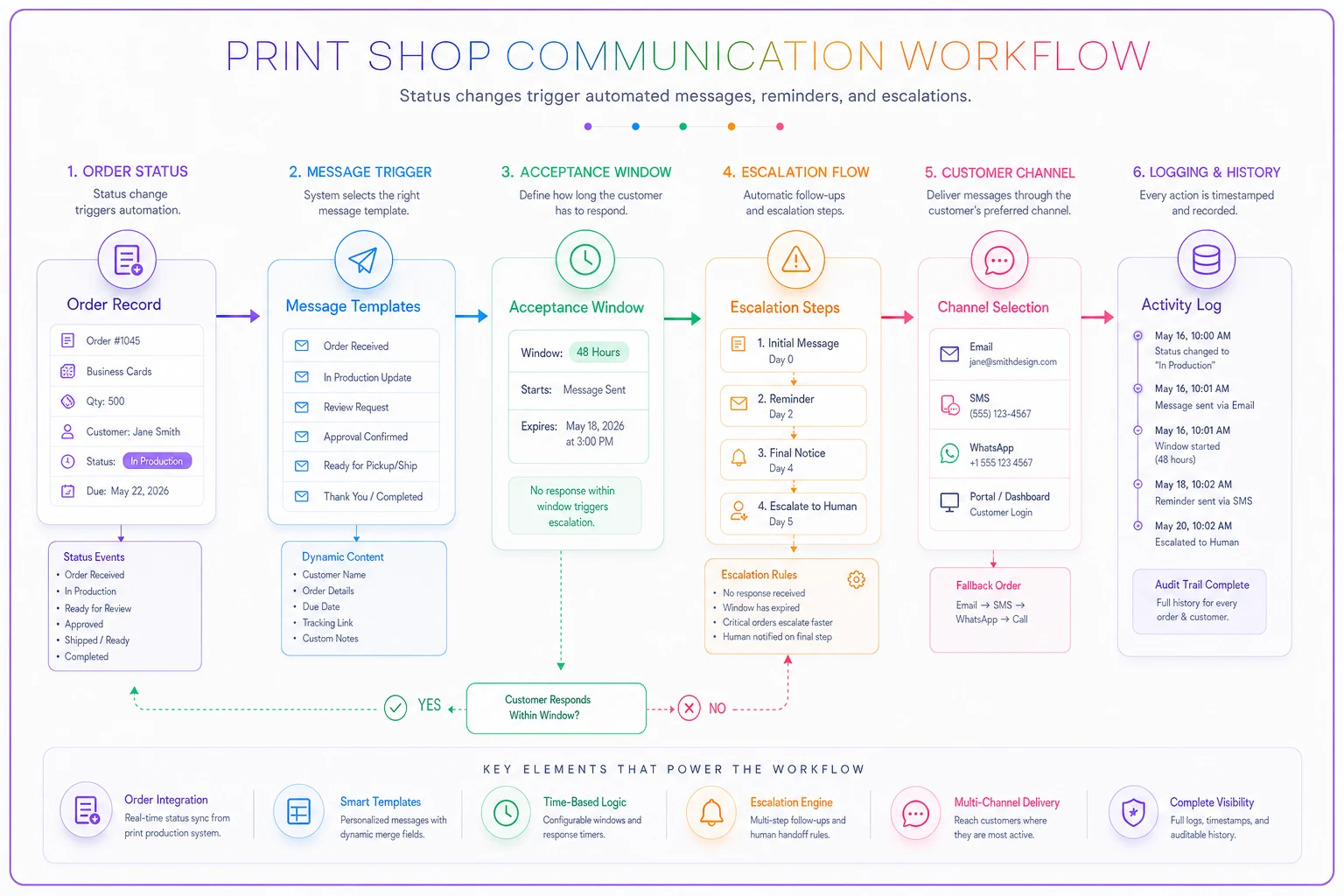
When the trigger is the data instead of a person's attention, messages stop slipping, and the timestamped log means disputes resolve in your favor.
The part nobody sets up but everyone needs
Build a simple internal view of jobs that are stuck waiting on the customer — proofs past their window, pickups aging past three days, balances unpaid before release. This is the flip side of customer messaging: your team's early-warning list.
-
Proofs in the reminder-or-hold stage
-
Ready orders sitting past their pickup window
-
Unacknowledged deadline-change notices
-
Balances due with a release hold
Run your eye down that list once a day and you'll catch the handful of jobs quietly clogging capacity or drifting toward a dispute before they turn into a phone call or a chargeback.
The shops that get this right aren't the ones with the fanciest templates. They're the ones where a status change automatically produces the right message, at the right time, with the consequence stated plainly and the timestamp on record. Do that for the five moments that matter, hold the acceptance windows, and let the escalation sequence carry the weight your front counter has been carrying by hand.
The shops that get this right aren't the ones with the fanciest templates. They're the ones where a status change automatically produces the right message, at the right time, with the consequence stated plainly and the timestamp on record. Do that for the five moments that matter, hold the acceptance windows, and let the escalation sequence carry the weight your front counter has been carrying by hand.
Ready to simplify your print shop operations?
Join 500+ print shops using GoInkly to save time, reduce errors, and improve customer satisfaction.